iNetVu Troubleshooting Guide - 1201 Flyaway
Indicates a situation or practice that might result in
property or equipment damage. Ensure Sensor, Motor
and RX/TX cables are connected prior to powering on
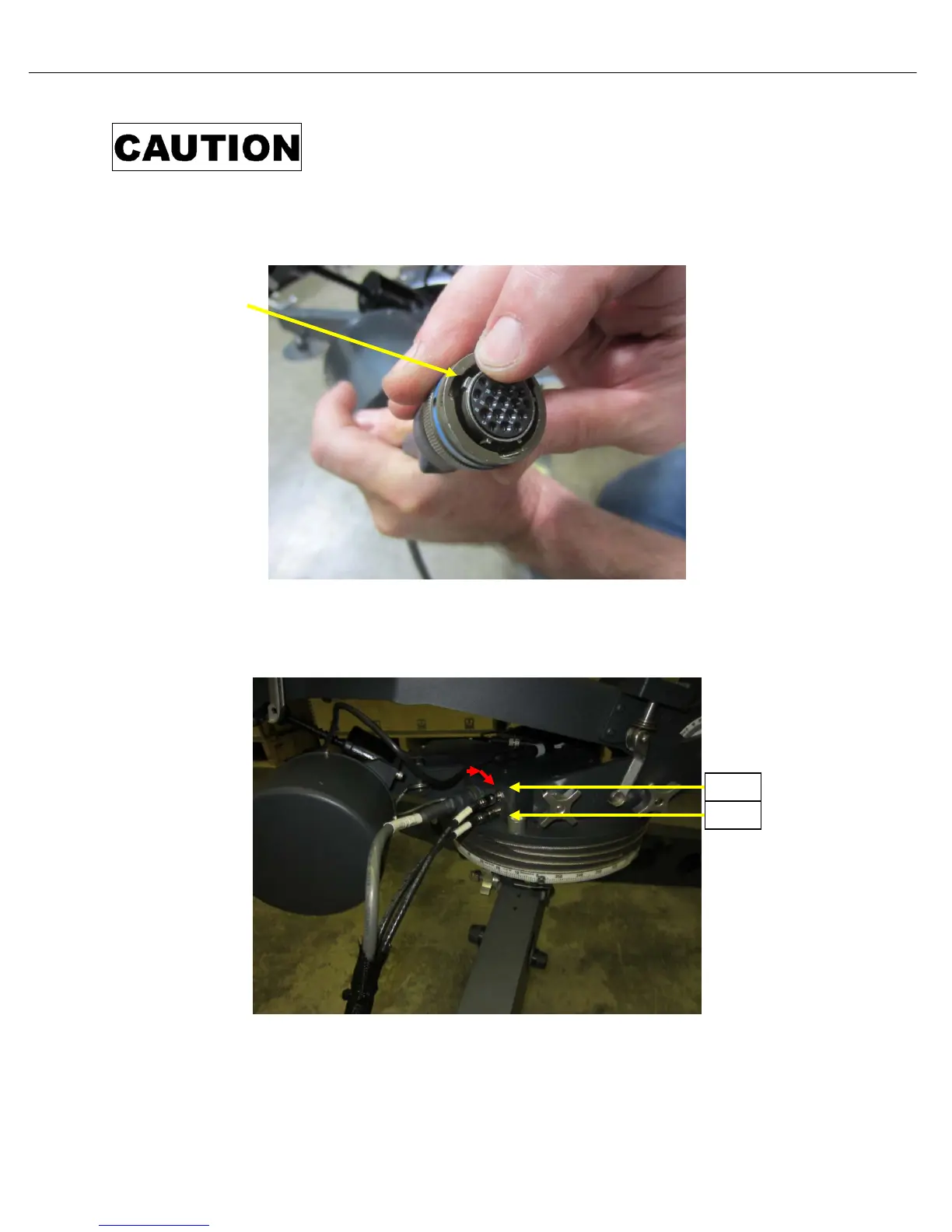
14) Connect External Motor and Sensor cable to AZ mount base. Line up the biggest notch on the
connector to be at the top before attempting to connect to mount face plate.
15) Turn connector CW (clockwise) until it snaps into place, and a click is heard. Connect as well the
RX and TX coax cables. Note TX is the top and RX the bottom connector as the label on the plate
indicates.



 To Next Page