IN5316HD/IN5318 – User’s Manual
8.
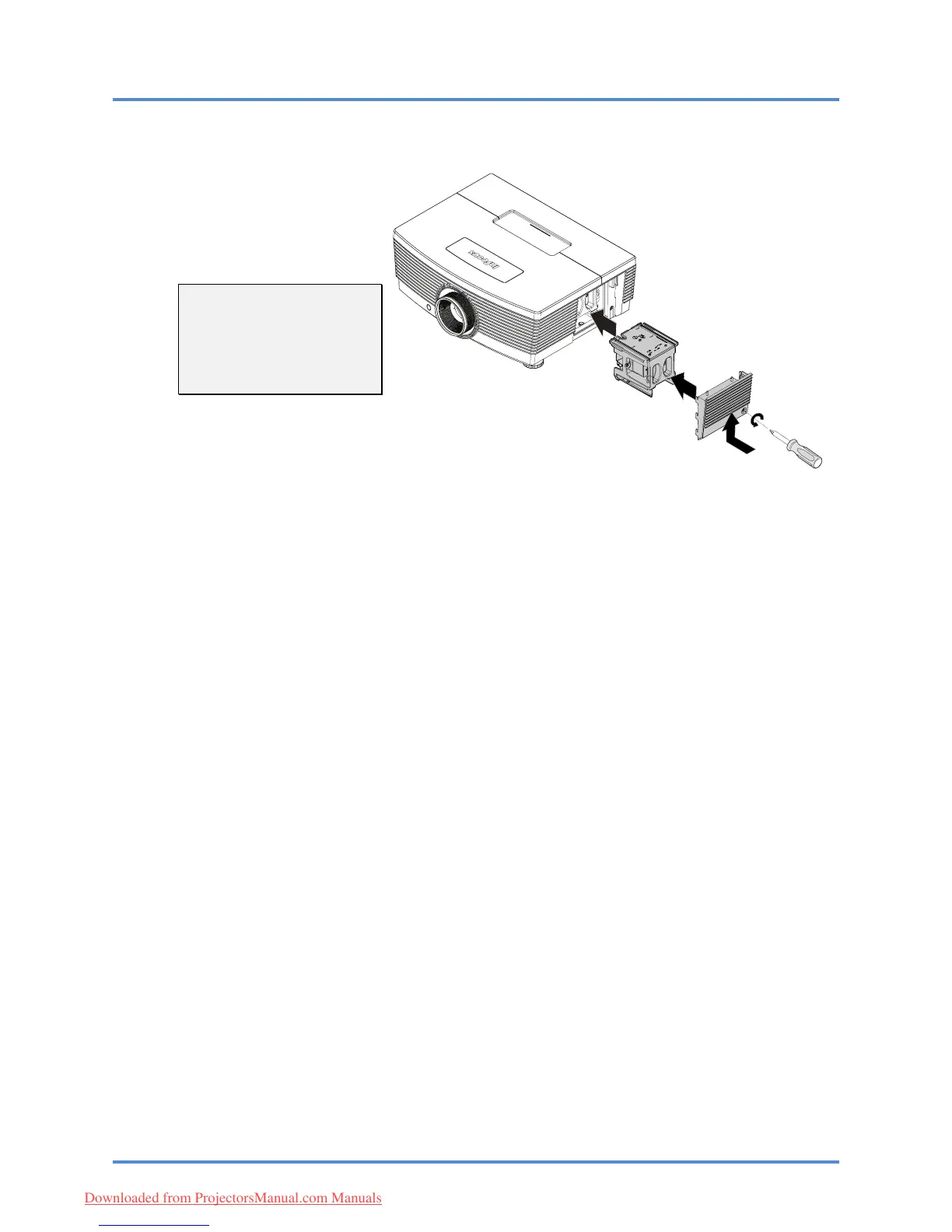
Reverse steps 1 to 7 to
install the new lamp
module.
While installing, align the
lamp module with the
connector and ensure it is
level to avoid damage.
Note:
The lamp module must sit
securely in place and the
lamp connector must be
connected properly before
tightening the screws.
9.
Turn on the projector and reset the lamp after the lamp module is replaced.
Lamp Reset:
a) Press the Menu button and select the SETUP>>Advanced menu.
b) Highlight "Lamp" and press the Enter/Select button to access the Lamp submenu.
c) Select "Reset Lamp Timer" and press Enter/Select.
d) Highlight "Reset" (it will appear blue) and press Enter/Select to reset the lamp
counter to zero.
– 41 –
Downloaded from ProjectorsManual.com Manuals



 To Next Page