17
OWNER'S MANUAL
• Be sure monitor power is turned off before making any connections.
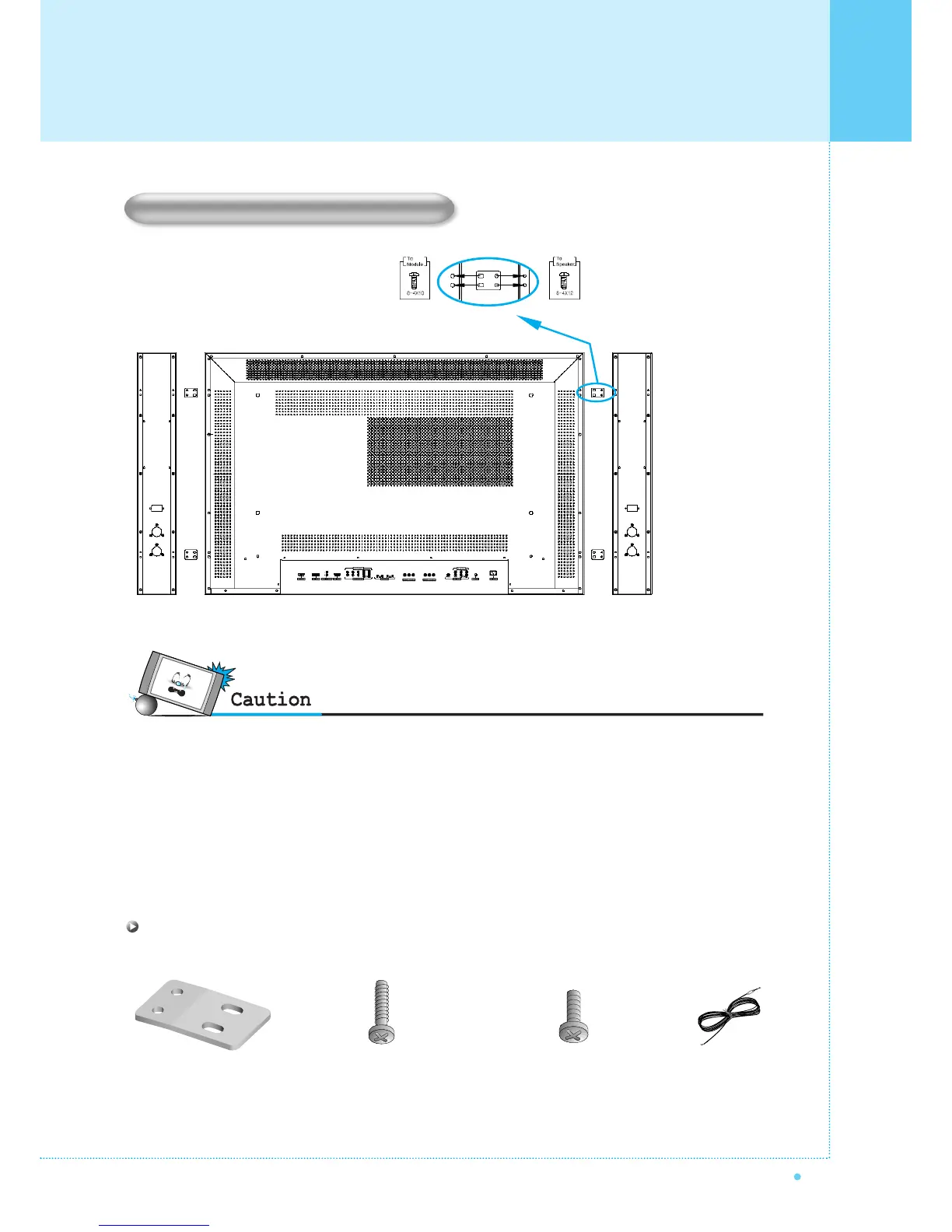
Place the speakers in the position you want. Install the speaker wires on the monitor and speaker. Be sure to connect
the positive "+" wire to the "+" input and the negative "-" wire to the "-" input. Connect left monitor input to left speaker and
right monitor input to right speaker. Any extra speaker wire length remaining can be bunched into the wire holders
provided.
(Caution: Once installed, the speaker wire holders lock into position and can't be removed.)
• Always lift the monitor itself (not the speakers) when handling or moving the monitor after speakers have been
installed.
Speaker Installation (Optional)
4-Iron Plates
(Mount speakers to monitor)
8-4 x 16 Long Bolts
(Attach iron plates to speakers)
8-4 x 8 Short Bolts
(Attach iron plates to monitor)
2-Speaker Wires
Speaker Accessories
Installation



 To Next Page