39
OWNER'S MANUAL
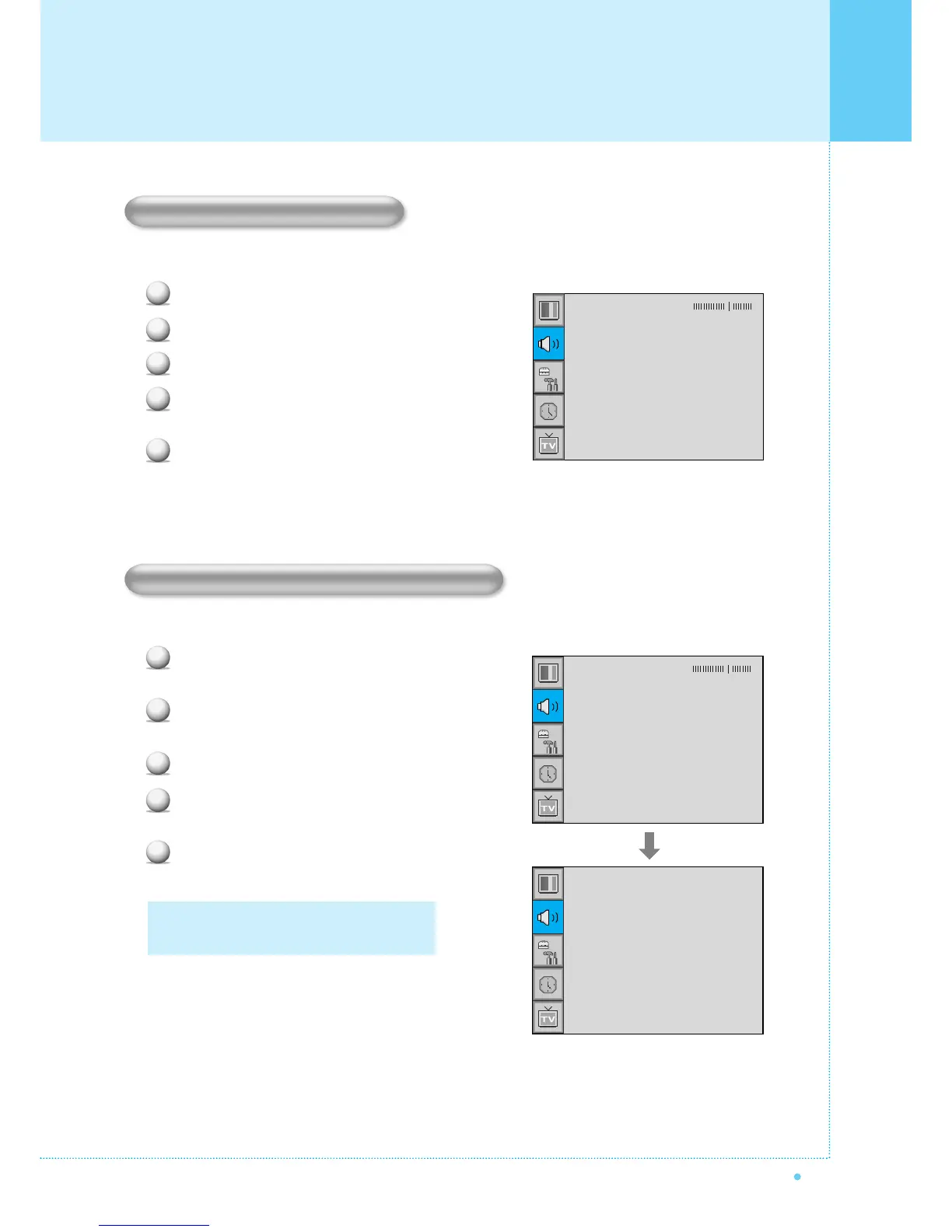
This function adjust sound volume level automatically depending on the source.
Press Menu/set button to display the main OSD menu.
Select the SOUND main menu.
Press Menu/Set to enter the sub menu.
Select AVC and press VOL+ button to enter the ¥ parts.
Then the cursor moves into the ¥ parts.
Turn on or off AVC function with CH+/CH- button and
press BACK button.
Select sound signal format from the input source. There are Mono, Stereo, SAP sound formats.
Press Menu/set button to display the main OSD
menu.
Select the SOUND main menu with CH+/CH-
button on the remote control.
Press Menu/Set to enter the sub menu.
Select MTS and press Menu/Set to enter the
sub menu. Then the MTS sub menu appear.
Select the MTS format with CH+/CH- and
press Menu/Set button.
1
2
3
4
5
The available sound formats are displayed.
Usually, you can see Mono and Stereo.
Balance
Sound Mode
Spatial effect
AVC
MTS
User
¥OFF
¥OFF
Stereo
Mono
Stereo
SAP
MTS (Multichannel Television Sound)
1
2
3
4
5
Balance
Sound Mode
Spatial effect
AVC
MTS
User
¥OFF
¥OFF
Stereo
AVC(Auto Volume Control)
Setting the Sound



 To Next Page