25
OWNER'S MANUAL
• OSD (On Screen Display) allows users to control or adjust various features and settings in
accordance with his/her preferences.
• Press the Menu/Set button on the remote control to see the main OSD menu.
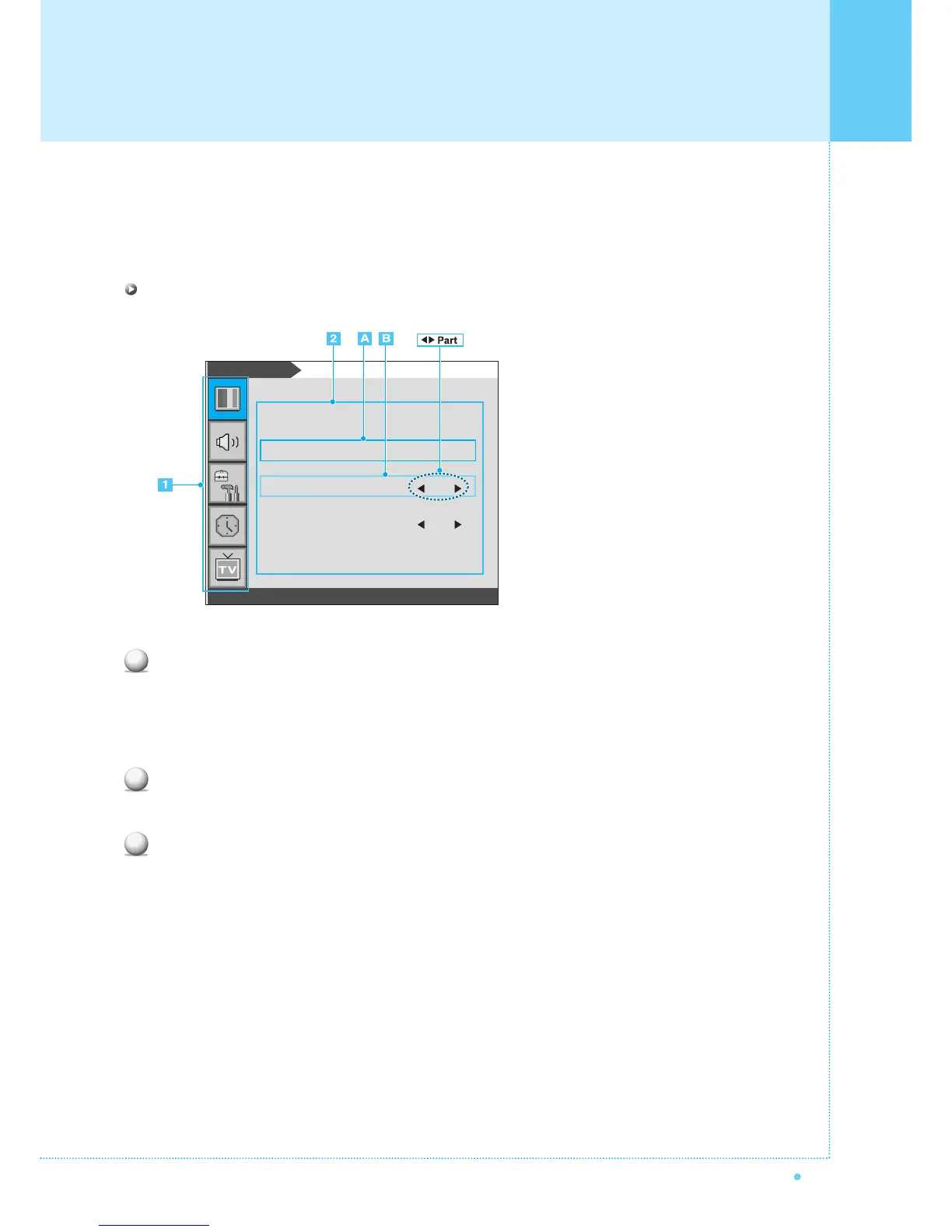
EXAMPLE of OSD Menu
Main Menu
Press Menu/Set button on the remote control to enter the main OSD menu.
First, select Main menu item you need with CH+/CH- key.
To select a main menu items, just press VOL+ or Menu/Set button on the Remote Control.
Sub Menu
Each menu item has its own sub menu items to set.
Sub Menu items
A: If there is no ¥part, the item has an sub menu.
You can enter the sub menu and adjust an item you need.
Select sub-menu item with CH+/CH- button on the remote control and press VOL+ or Menu/Set
button to enter the submenu.
B : If there is a ¥part, you can set the item by selecting ¥. Ex) ¥ON or ¥OFF
Press VOL+ or Menu/Set button to set a ¥part, and adjust it with CH+/CH- key.
1
2
3
Mode
Temperature
Video NR
Film Mode
Screen Format
Standard
Normal
ON
OFF
Wide
Picture
OSD Menu Structure



 To Next Page