Setting the Channel
28
OWNER'S MANUAL
a Set the favorite channel
You can store of your favorite channels for each available input source (such as TV or CATV).
Then, when you press the FAVORITE button on the remote control, the Monitor display only the favorite
channels you previously stored, allowing you to quickly and easily find frequently wanted channels.
Press Menu/set button to display the main OSD menu.
Select the TV main menu.
Press Menu/Set to enter the TV sub menu.
Select CH and press the Menu/Set button.
Then the cursor moves into the ¥ parts and the
Skip and Fav menu appear.
In the ¥ parts , select the channel to skip or
set as the favorite channels.
Then press CH- button on the remote control to
enter the sub menu.
In sub menu, move with CH- and CH+ button and
set the values with VOL+ and VOL- button.
1
2
3
4
5
6
7
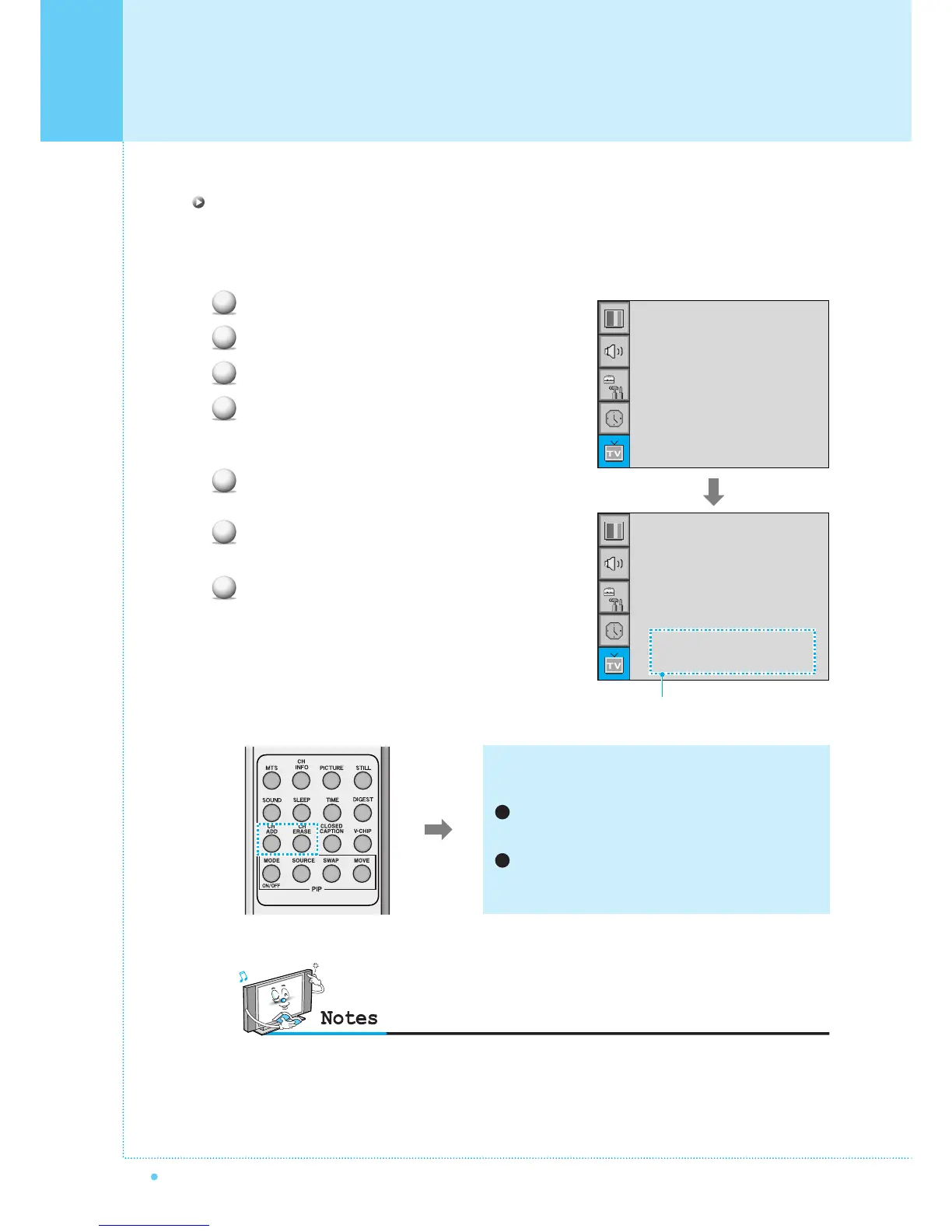
You can add or erase the current channel by the remote
control.
CH ADD
Add the current channel into the scanned channel list.
CH ERASE
Remove the current channel from the scanned
channel list.
1
2
• Only scanned channels can be set as Favorite Channels.
Channel Type
¥CATV
Auto Scan
Fine Tune
CH
¥CATV 5
Channel Type
¥CATV
Auto Scan
Fine Tune
CH
¥CATV 5
Skip Yes
Fav Yes
Sub menu appears



 To Next Page