Setting the Picture
34
OWNER'S MANUAL
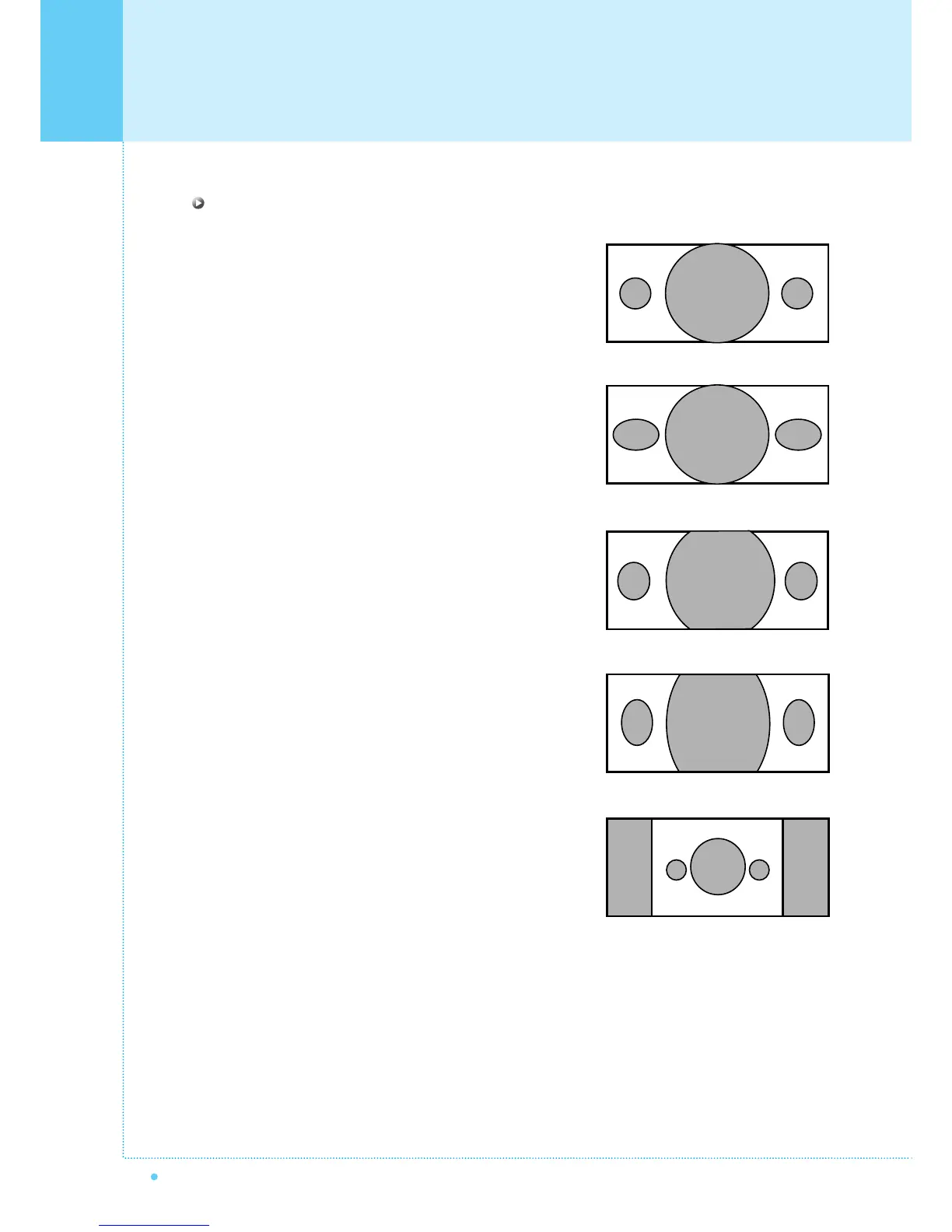
Screen Format Description
Wide
Wide video: No change.
4:3 video: Expands 4:3 video signal horizontally to fit the
Wide screen.
Panorama
Wide video: No change.
4:3 video: Expands 4:3 video horizontally to fit the Wide
screen and to minimize distortion, sides are expanded
more than center.
Zoom 1
Expands Wide mode screen vertically.
Zoom 2
Expands zoom 1 mode screen vertically.
4 : 3
Wide video: The image is suppressed.
4:3 video: No expansion. There are gray areas besides
the image.



 To Next Page