39
38
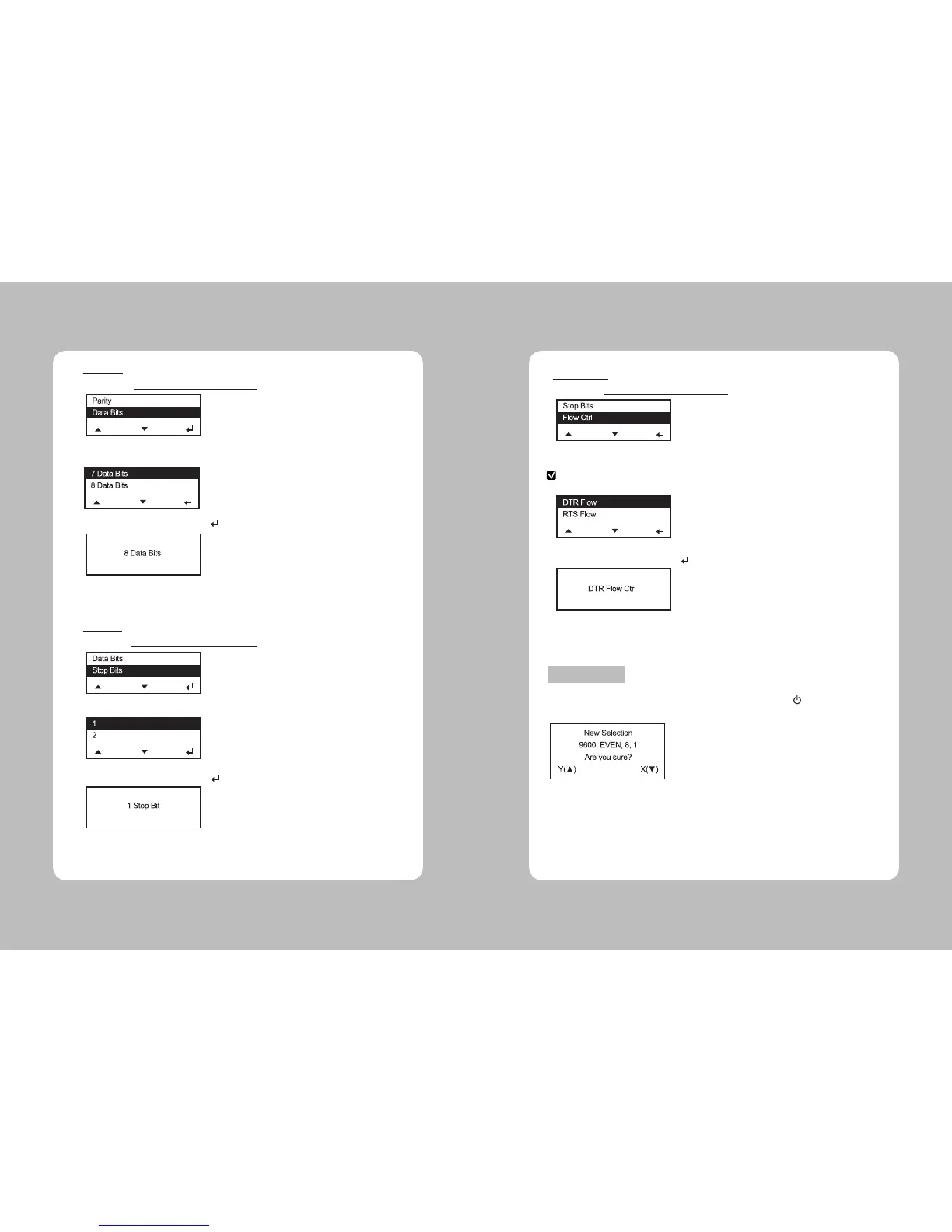
1. Select Setup Menu – Serial Comm – Data Bits.
1. Select Setup Menu – Serial Comm – Stop Bits.
2. Select one of 7 Data Bits, 8 Data Bits.
2. Select one of 1 Stop Bit, 2 Stop Bits.
3. Save the setting by pressing Enter( ) button.
3. Save the setting by pressing Enter( ) button.
4. Select exit to return to the Serial Comm menu.
4. Select exit to return to the Serial Comm menu.
**Data Bits
**Stop Bits
1. Select Setup Menu – Serial Comm – Flow Ctrl.
2. Select among No Flow, DTR Flow, RTS ow, Xon/Xoff, Special.
3. Save the setting by pressing Enter( ) button.
4. Return to previous Serial Comm Menu using Exit.
After setting all serial communications,select exit or press Power( ) button to exit. The
selected values are displayed and asks whether to save it or not.
If you select Y by pressing Up(▲) button then it will be saved, and if you select X by
pressing Down(▼) button then it exits from Menu without saving set values.
**Flow Control
Exit and Save
NOTE
The “special” setting is reserved for future supply types. Do not use this setting.



 To Next Page