67
66
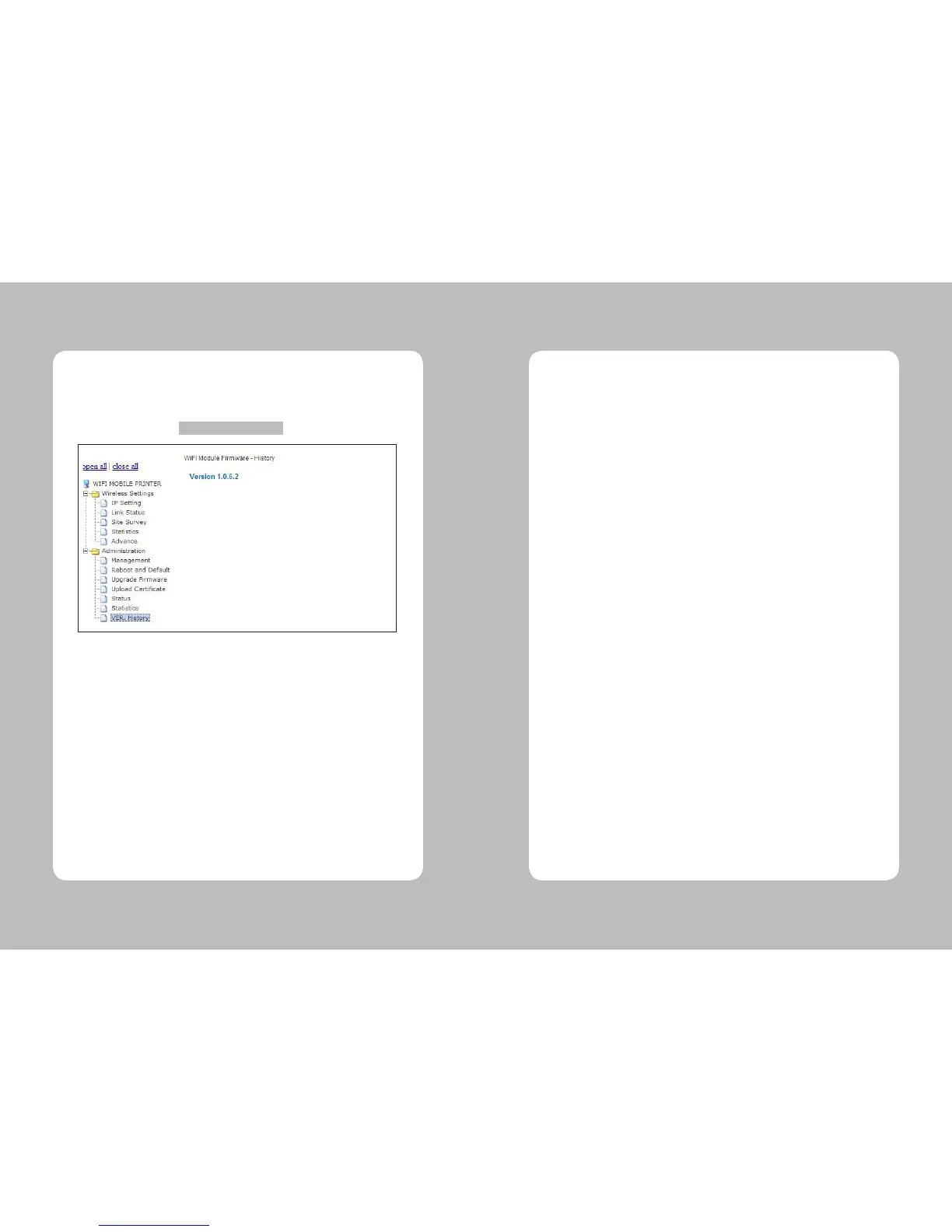
The page as shown the gure 15 will show when users choose a “VER. History” of the
“Administration” menu. Users can check the current Firmware version in this page.
4-3-13. VER. History
Figure 15 – VER. History
4-4. Wi-Fi Glossary
Access Point
An interface between a wireless network and a wired network. Access points can be used with Ethernet
or other communications to enable roaming throughout a facility.
Ad-Hoc Mode
A wireless network composed of devices that contain a network interface card and no access point.
Ad-Hoc mode is also called peer-to-peer (point-to-point) communications or BSS network. As long as the
devices are in range and are on the same channel and SSID, they connect and communicate. Use this
mode if a wireless infrastructure does not exist or where services are not required.
Authentication Method
Identies users on a network, based on a username and password. There are two types, open and
shared. Authentication protocols include LEAP, PEAP, TLS, TTLS, EAP-FAST, and PSK.
Auto Method
One of the available boot methods. Auto tries DHCP, BOOTP, and RARP, then sets to the last IP address
used if the IP address is not automatically set using any of the previous methods.
BOOTP or Bootstrap Protocol
One of the available boot methods. It is a protocol used by devices that know their MAC address, but do
not know their IP address. The device broadcasts its hardware address and the BOOTP server responds
with the IP address for it. The network administrator must enter the MAC address in the BOOTP Cong
le to obtain the IP address from the server.
Boot Method
The wireless print server uses this method to obtain an IP address. Can be set to Auto, DHCP, BOOTP,
RARP, or Static. Boot Tries The number of times the device tries to get an IP address from the server
when using the BOOTP and DHCP methods.
BSS or Basic Service Set
A set of 802.11b/g/n devices operating as a fully connected wireless network.
BSSID : See MAC Address.
Channel or RF Channel
You can select which channel your network devices use to communicate. All devices must be on the
same channel to communicate in Ad-Hoc mode. Other radio devices such as Bluetooth® wireless
devices, microwave ovens, or 2.4-GHz cordless phones may operate/interfere if they are on the same
channel as your network.
DHCP or Dynamic Host Conguration Protocol
One of the available boot methods. It is a protocol that issues IP addresses automatically within a
specied range to devices (such as printers) when they are rst turned on. The device keeps the IP
address for a dened period of time set by your System Administrator; however, a device could have a
different IP address every time it connects to the network.


 To Next Page