65
64
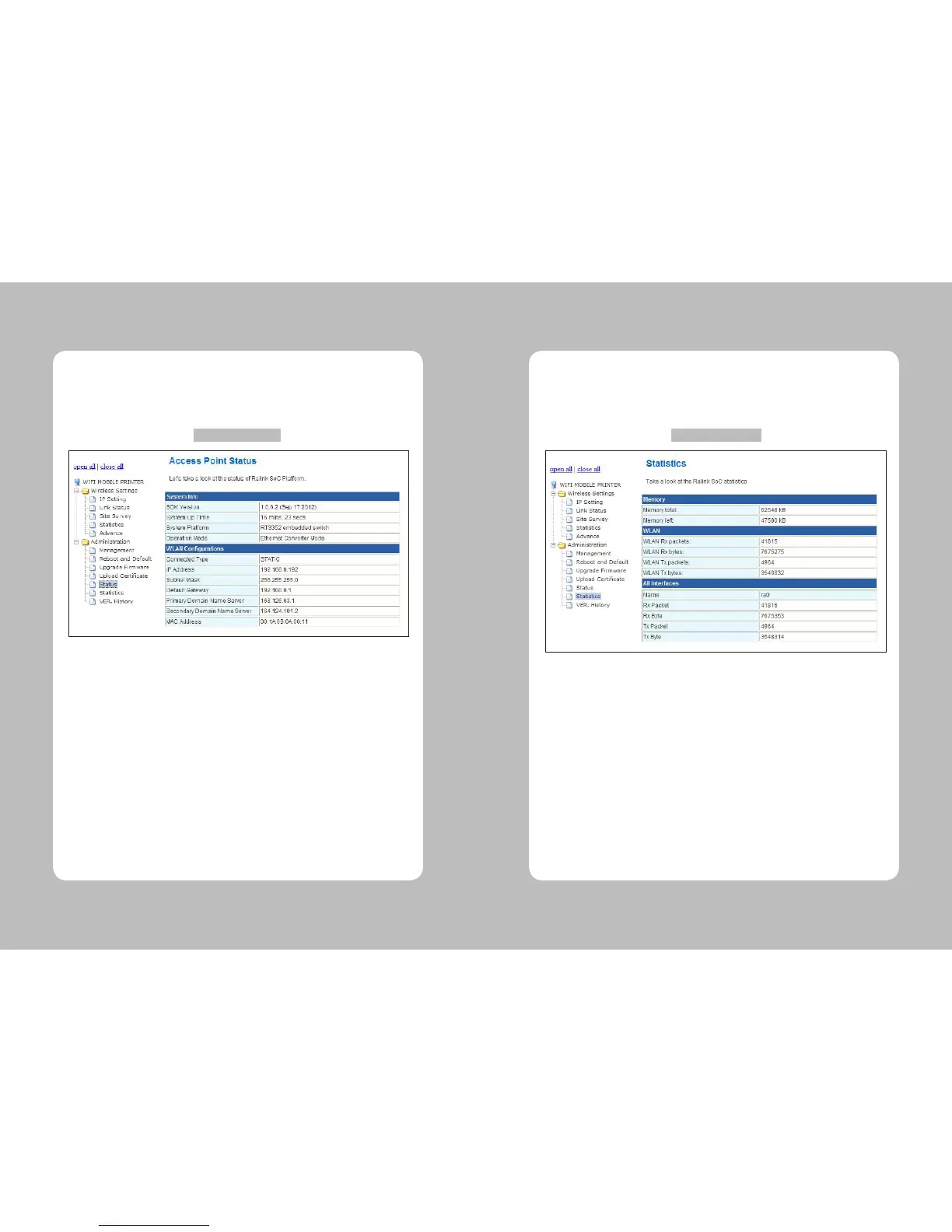
The page as shown the gure 13 will show when users choose a “Status” of the “Administration”
menu. Users can check the current module system information in this page.
4-3-11. Status
Figure 13 – Status
SDK Version : Check the SDK version.
System Up Time : Show the current operating system time.
System Platform : Show the current operating system environment.
Operation Mode : Show the system operating mode.
Connected Type : Show the Wi-Fi connection mode.
IP Address : Show the module IP address.
Subnet Mask : Show the module Subnet Mask address.
Default Gateway : Show the module Gateway address.
Primary Domain Name Server : Show the rst DNS server address.
Secondary Domain Name Server : Show the second DNS server address.
MAC Address : Show the current MAC address.
The page as shown the gure 14 will show when users choose a “Statistics” of the “Administration”
menu. Administration Statistics. Users can check the current module memory usage and
transmitted data in this page.
4-3-12. Statistics
Figure 14 – Statistics
Memory total : Show the total memory of the module shown as kB.
Memory left : Show the usable memory shown as kB.
WLAN Rx packets : Show the current received packets.
WLAN Rx bytes : Show the current received data shown as kB.
WLAN Tx packets : Show the current sent packets.
WLAN Tx bytes : Show the current sent data shown as kB.
Name : Show the name of the interface.
Rx Packet : Show the received packets through current interface.
Rx Byte : Show the received data through current interface shown as kB.
Tx Packet : Show the sent packet data through current interface.
Tx Byte : Show the sent data shown as kB through current interface.



 To Next Page