Page 25
Copyright© 2019 Ingenico
You are strongly advised to ensure that privileged access to your terminal
(including access to the Supervisor code) is only granted to staff that have been
independently verified as being trustworthy.
Supervisor code change – initial transaction
If you have not changed the Supervisor code before you process your first
transaction the terminal will prompt you to change the code from the default
during the transaction.
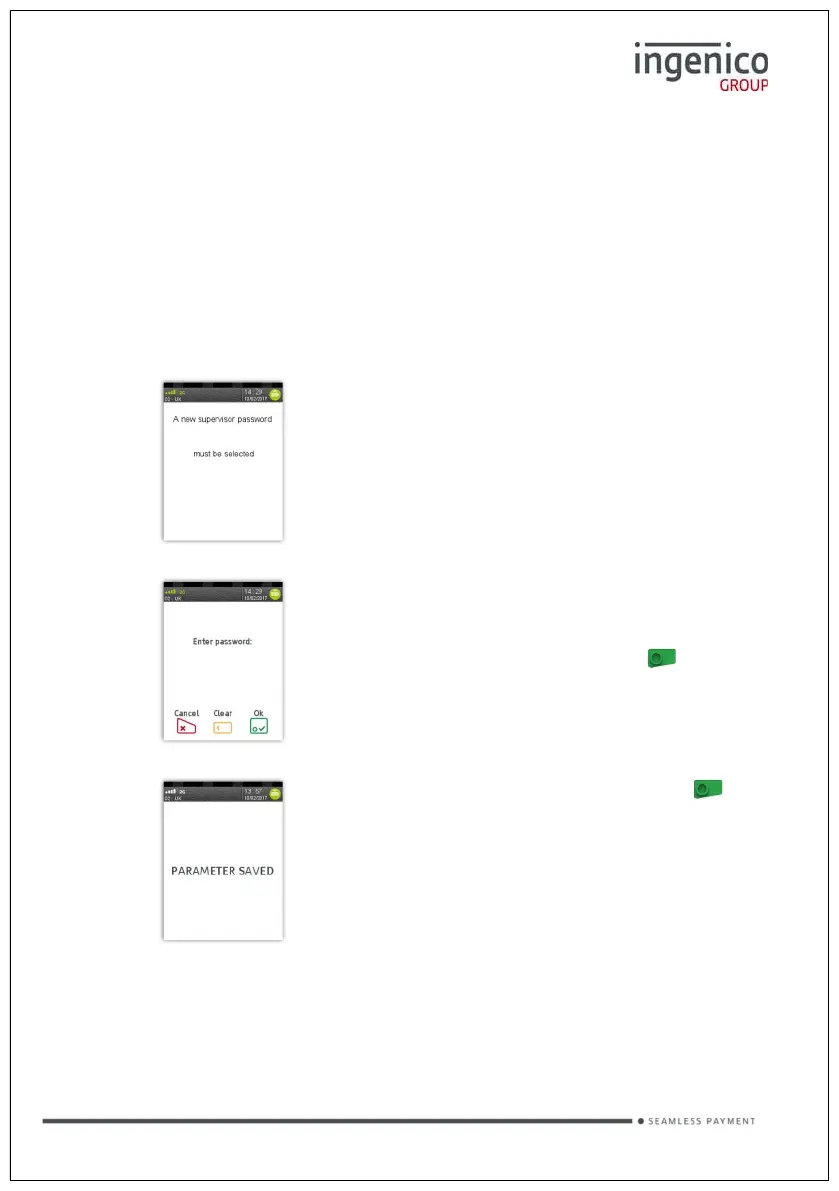
During the transaction, you will be
prompted that the code needs to be
changed, press any key to continue.
Enter a new code and press the button.
Re-enter the new code and press the
button.
A confirmation will be shown if the two
entries match and the code has been
changed.
The terminal will continue as normal, refer to the instructions for transaction type
that you chose to complete the transaction









 To Next Page