Controller CO3000
1.10 Network Settings
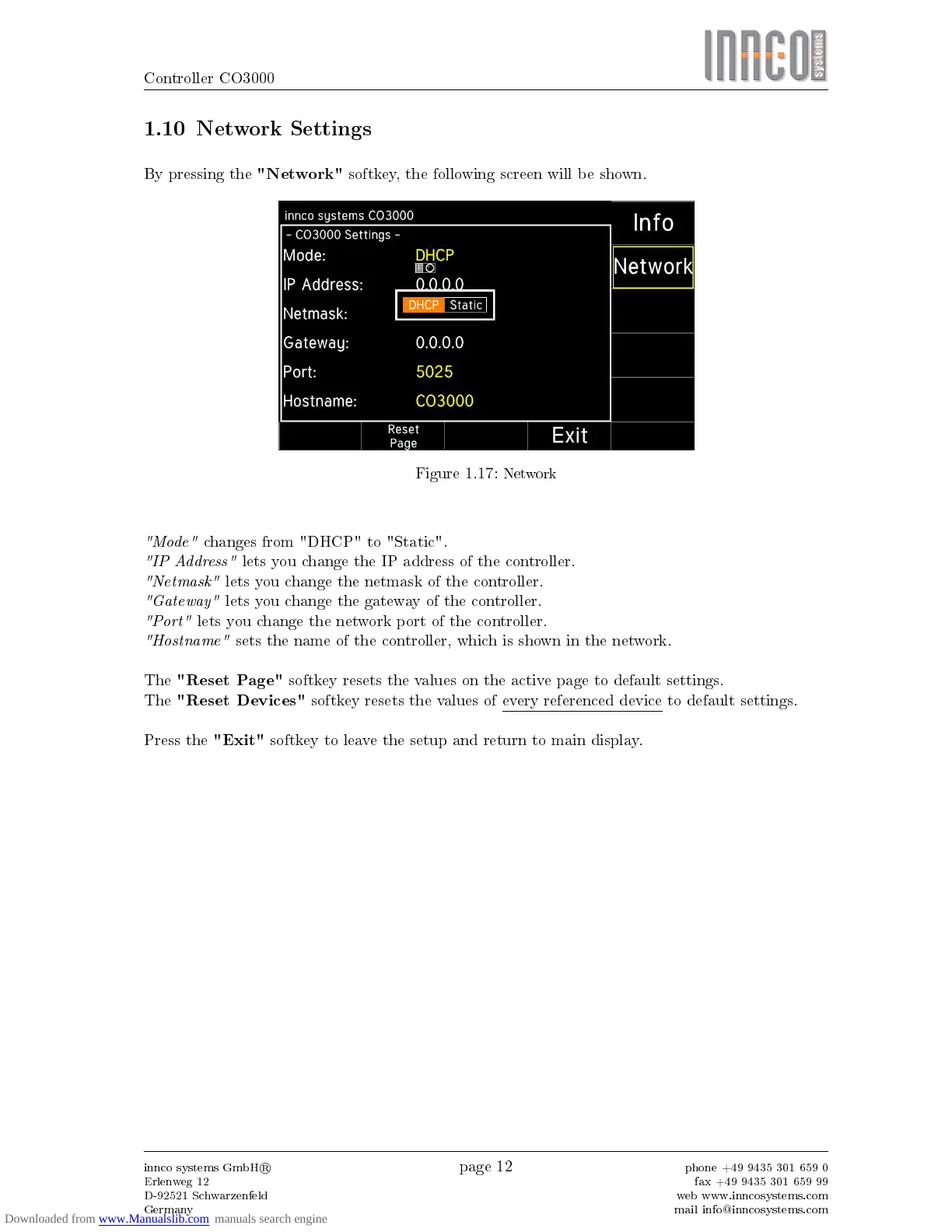
By pressing the
"Network"
softkey, the following screen will be shown.
Figure 1.17:
Network
"Mode"
changes from "DHCP" to "Static".
"IP Address"
lets you change the IP address of the controller.
"Netmask"
lets you change the netmask of the controller.
"Gateway"
lets you change the gateway of the controller.
"Port"
lets you change the network port of the controller.
"Hostname"
sets the name of the controller, which is shown in the network.
The
"Reset Page"
softkey resets the values on the active page to default settings.
The
"Reset Devices"
softkey resets the values of every referenced device to default settings.
Press the
"Exit"
softkey to leave the setup and return to main display.
innco systems GmbH
R
Erlenweg 12
D-92521 Schwarzenfeld
Germany
page 12
phone +49 9435 301 659 0
fax +49 9435 301 659 99
web www.inncosystems.com
mail info@inncosystems.com



 To Next Page