18
Properties”.
z Or, find and click into Control Panel. Find and select “Sound and audio device” and
choose“Audio”tab.
In Sound playback, changethe default device by down pulling arrow. Select your playback
deviceandclickOK.
Thensoundcomesout.
FormoreinformationonWindowssystemsoundrequiresreset,ple
asegoto
http://wiki.audacityteam.org/index.php?title=USB_turntables#Set_up_Audacity_to_record_from
_the_turntable
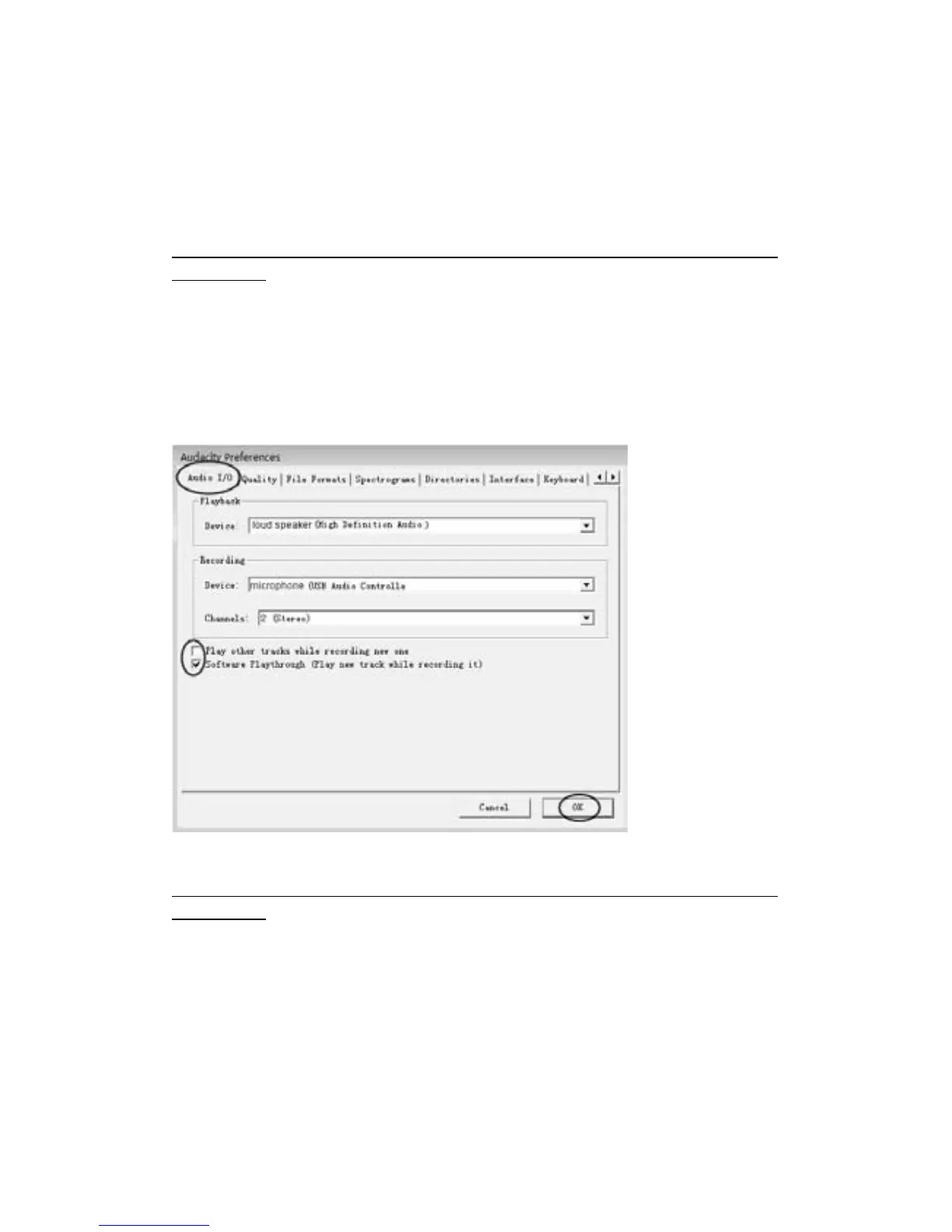
3.Ifyouwanttohearthemusicwhiledownloadingtothecomputer,followstepsbelow:
GototheAudacityinterface.
ClickEditandselect“Preference”.Thenclick“AudioI/O”tab.
Andfollowthefollowingsetting.Click“OK”toconfirm.
Deselectthecheckboxtodisableitsfunction.
Formoreinformationpleasesee‘SetupAudacitytorecordfromtheturntable’inwebsitebelow:
http://wiki.audacityteam.org/index.php?title=USB_turntables#Set_up_Audacity_to_record_from
_the_turntable



 To Next Page