35
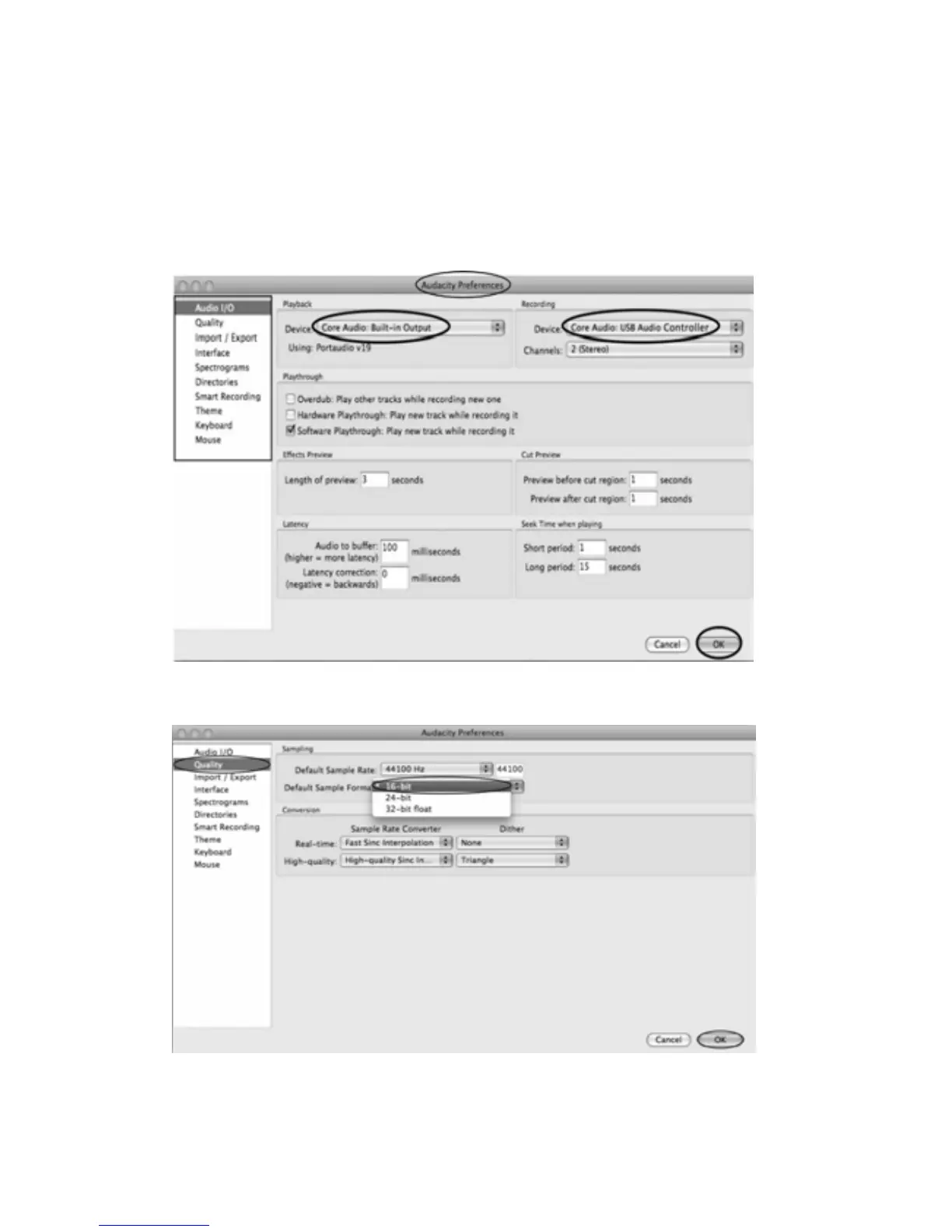
2.Selecttherecordingdevice:CoreAudio(USBAudiocontroller)
z Clickthe“AudioI/O”attheAudacityPreferencesinterface.
z ClicktheRecording“Device”andselect“CoreAudio(USBAudiocon troller)”.
z Clickthe“Channels”andselect2(stereo).
z Clickthe“OK”.
Note:Ifyoucouldn'tfindthe"Core
Audio(USBAudiocon
troller)"fromtheDevicelist,closethe
Audacity Software and re‐open then try again or insure the turntable is connected to the
computer.
3.UndertheQualitytab,settheDefaultSampleFormatto16bit.SelectOKtosaveyoursetting
andclosethepreferenceswindow.



 To Next Page