47
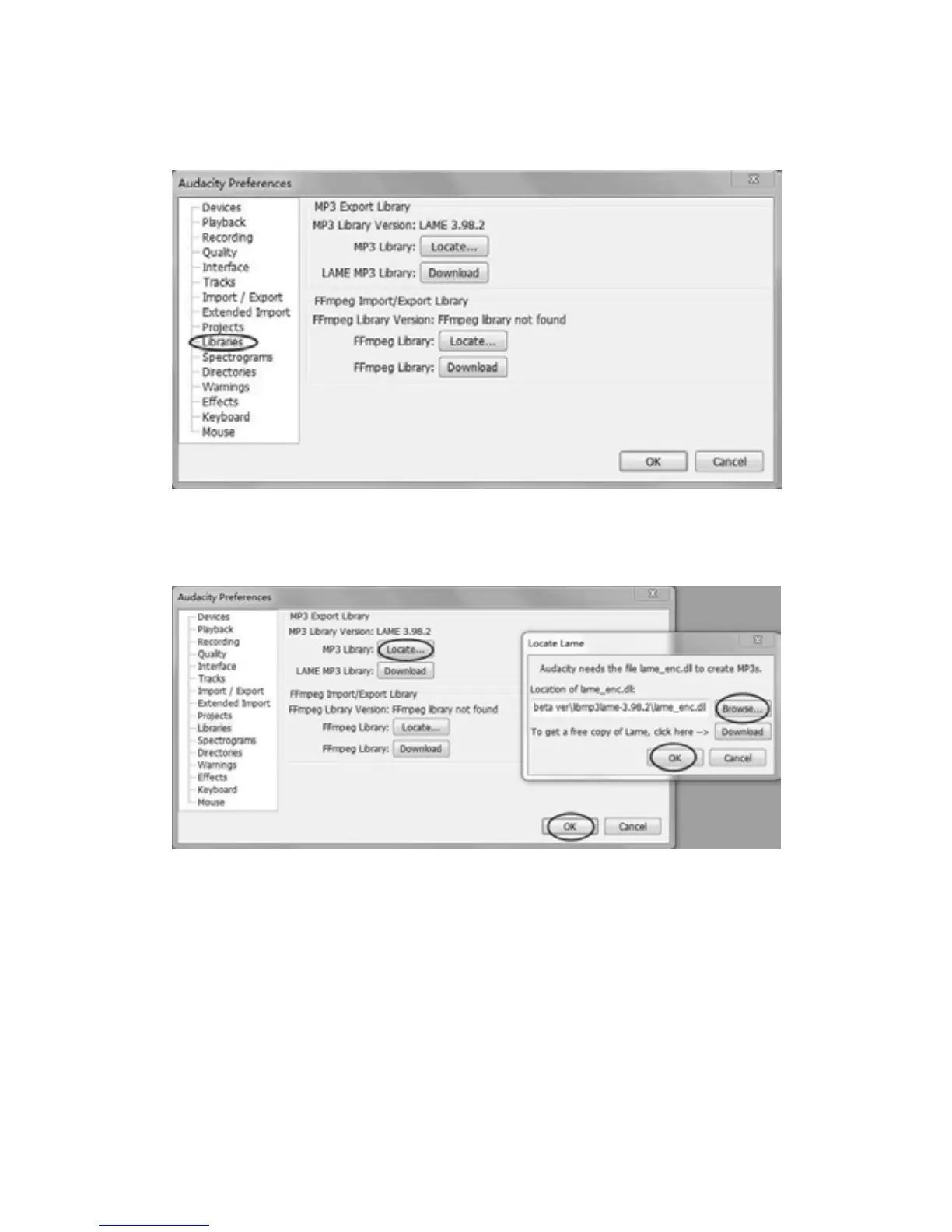
e) Before export an MP3 file, you need to find ‘lame’ first. If the program does not show the MP3
Library, make sure the driver disc is inside your computer. If the ‘lame_enc.dll’ soware is not
working on your computer (i.e., Vista and 7), you must download the ‘lame’ soware from
website. (See Pages 48-50.)
Click ‘Libraries’ on the le side, then in ‘MP3 Export Library’ interface, click ‘Locate…’ buon to
find ‘lame_enc.dll’. Click ‘Browse’ buon to open ‘lame_enc.dll’. Double click on ‘Audacity for
Win’ then le click on ‘lame_enc.dll’ to highlight it. Clip ‘Open’ then click ‘OK’.



 To Next Page