46
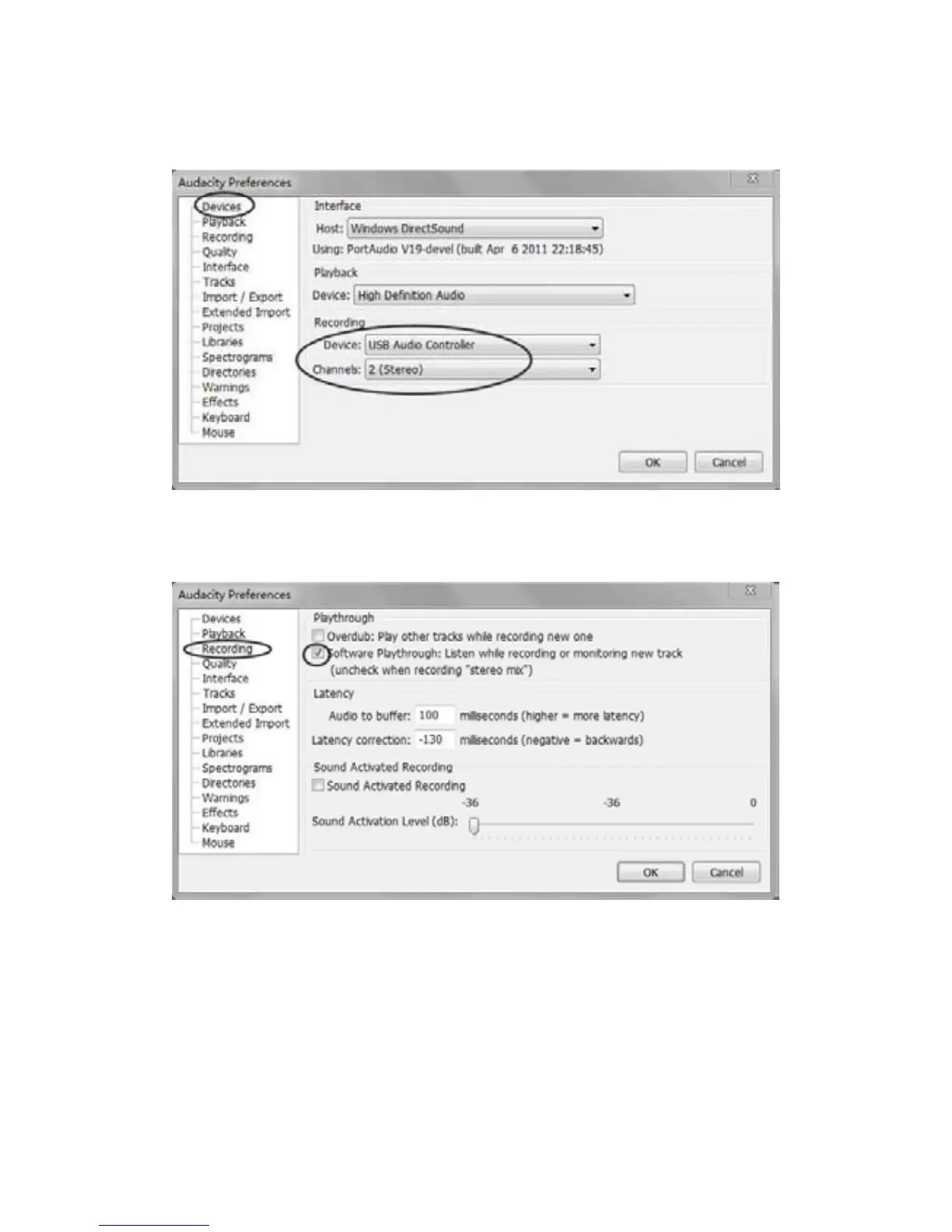
c) Click ‘Device’ on the left side, then the detail contents of the Devices will show on the right
handsideofInterface.
Clickthearrowon‘Device’below‘Recording’andchoose‘USBAudioController’.
Clickthearrowon‘Channels’toselect‘2(Stereo)’.
d)Click‘Recording’ontheleftside,youwillseethedetailcont en tsontherightside.
Click the checkbo x beside ‘Software Playthrough: Listen while recording or monitoring new
track’.



 To Next Page