52
2.Press“pause”inbetweeneachsong.Onlypressthe“stop”buttonwhenalldesiredsongshave
beenrecorded.
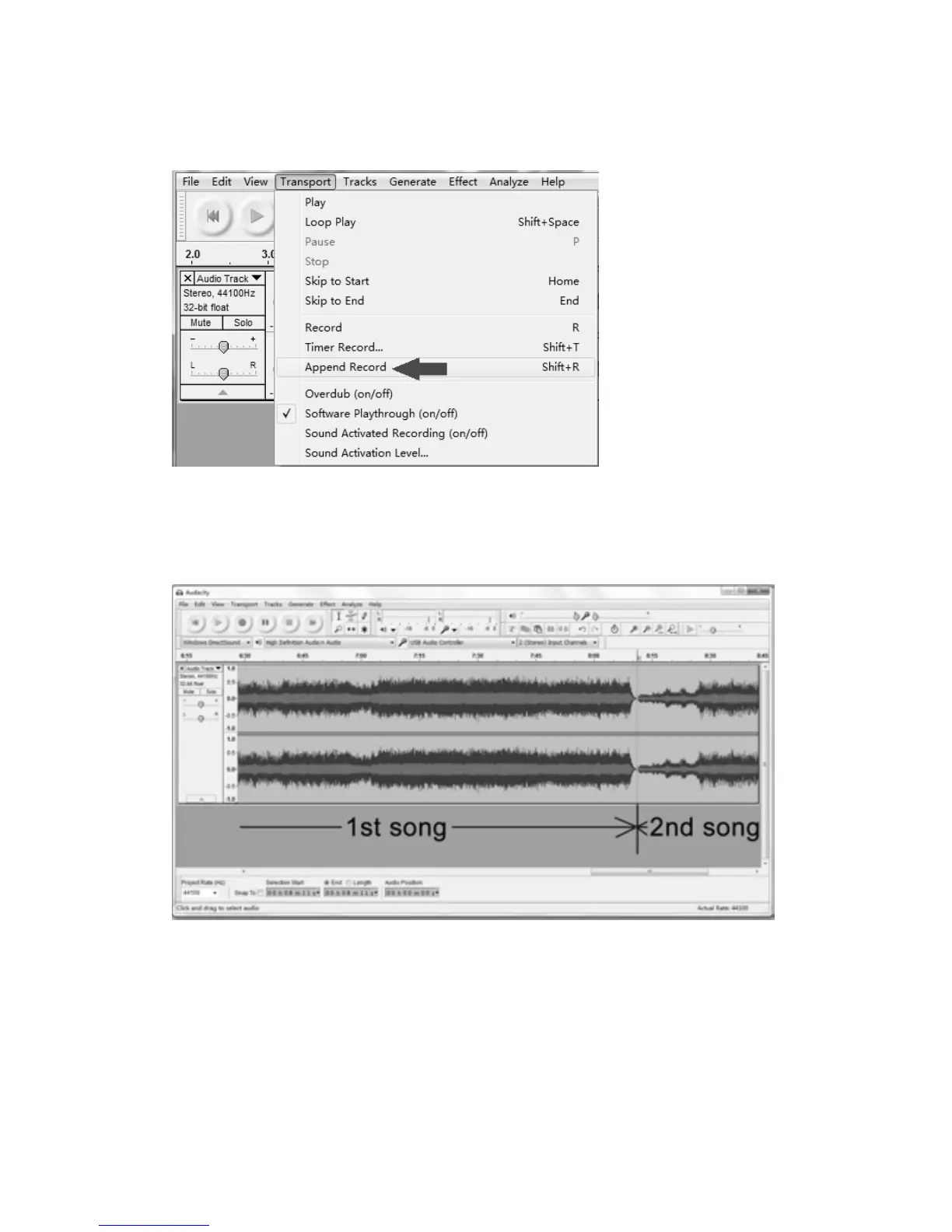
TIPS: If you press the “stop” button by accident, you can click “Transport” and click “Append
Record”.Thenyoucancontinuetorecordinthesametrack.
Forexample,the“stop”buttonhasbeenpressedbyaccidentattheendofthe1stsong.Donot
click anythingin Audacity and get anothersong prepared, then click “Transport”tab and select
“Append Record” (refer the picture above). Soon the 2nd song will continue to record on the
sametr
ackattheendofthe1stsong.
3.Beforeexportingpress“play”buttontoplaytherecording,thenpress“SkiptoStart”buttonto
gotothebeginningoftherecording.
4.Selectasectionyouwanttoexportbymovingthecursortothebeginningofthesongandleft
clicking. Then hold and drag the
cur
sor. Release the cursor when your selected section is
highlighted.



 To Next Page