56
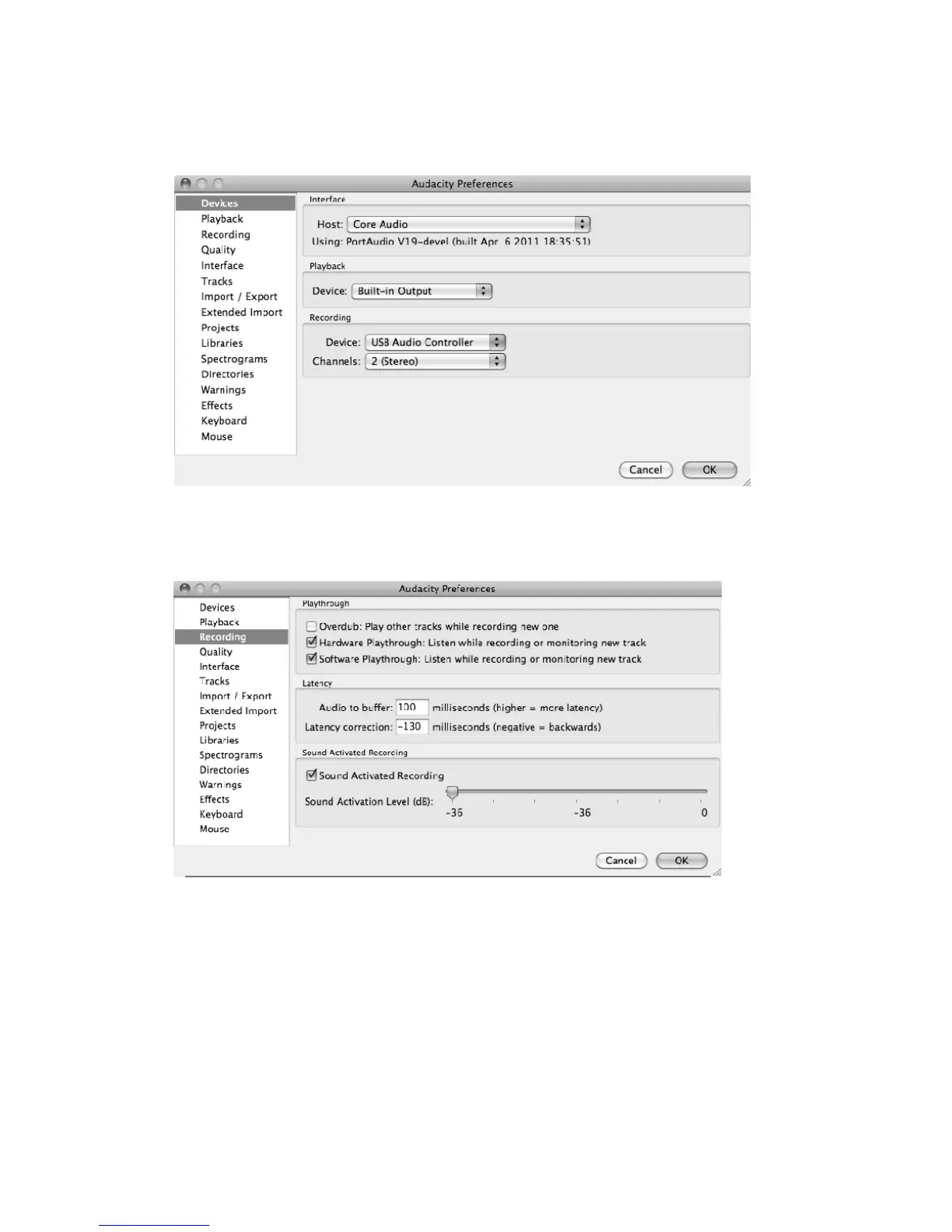
b)InthewindowofAudacityPreferencesclick“Devices”onthelefthandside.Thenontheright
sidewithintheRecordingDevicecolumn,setDeviceto“USBAudioController”,Channelsto“2
(Stereo)”.
c)Click“Recording”ontheleft.ThenontherightsideinPlaythroughcolumn,clickthecheckbox
besidethe“SoftwarePLaythrough:Listenwhilerecordingormonitoringnewtrack”.
IntheSoundActivatedRecordingcolumn,slidethemeterto‐36db.



 To Next Page