57
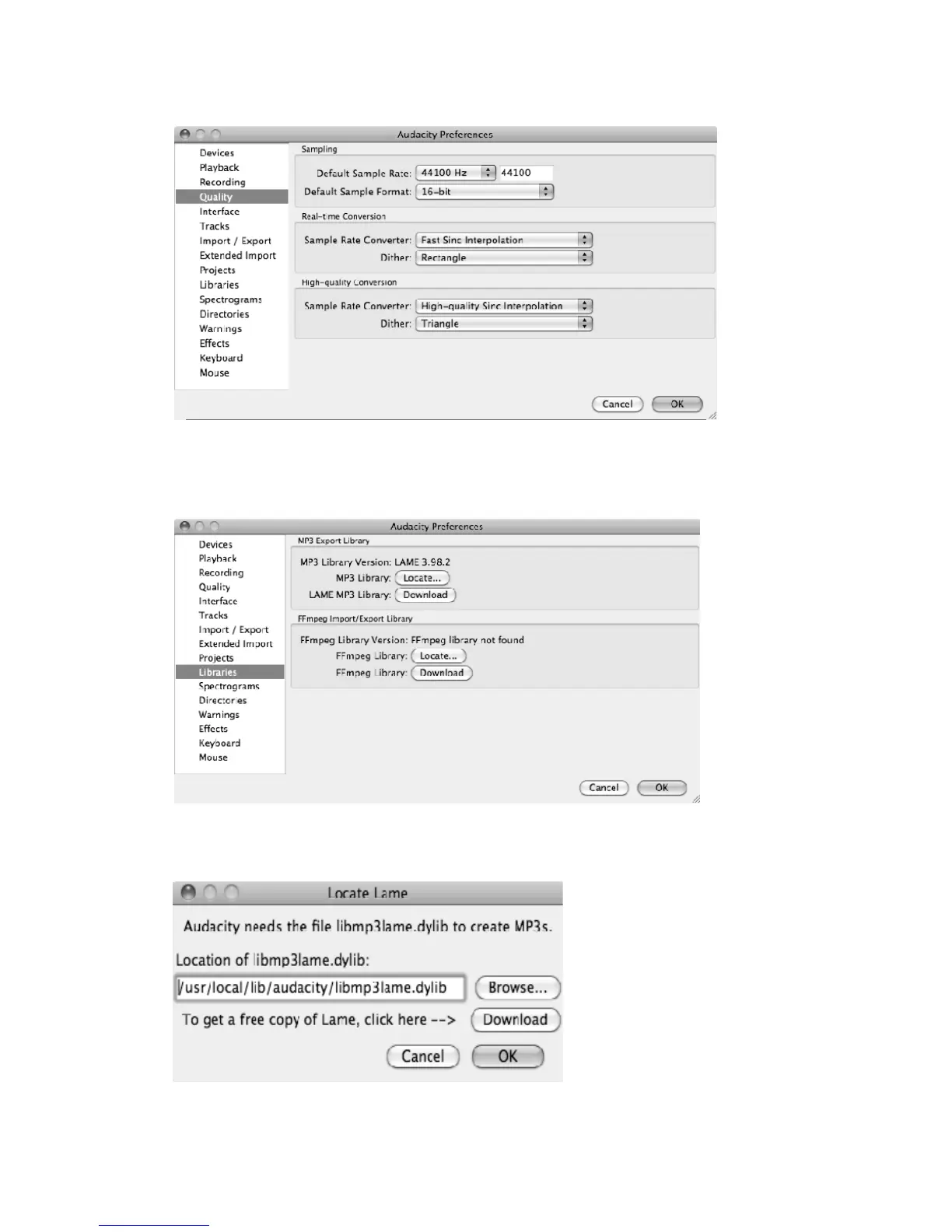
d) Click “Quality” on the left then on the right side in Sampling column, select “44100 Hz” in
DefaultSampleRateandselect“16‐bit”inDefaultSampleFormat.
e)Click “Libraries”onthe left then on the right side inMP3 Export Librarycolumn,checkif the
programhasdetectedandshowntheMP3Li braryVersionthere.Ifshown,skipandforwardto
step(f).
If it display “MP3 export library not found” you need to find the “LAME”. Click “Locate…”
button then a window named “Locat e Lame” appears to find where the “LAME” is. Click the
“Browse…”buttontofindit.



 To Next Page