CombiLock 200 simplex / pro / RFID
Handbuch V. 1.05 51 Manual V.1.05
2 General Operating Instructions CombiLock
2.1 Opening and Closing
2.1.1 Opening the Electronic Lock with Code
With versions CombiLock 200 pro / RFID only:
PID to for one of the users 1-9,
PID for the master.
is the opening code ex works. After failure of power supply,
battery change, for instance, and after 4 or more times of
incorrect code input, as well as after a change of keypads,
enter PID and CODE twice.
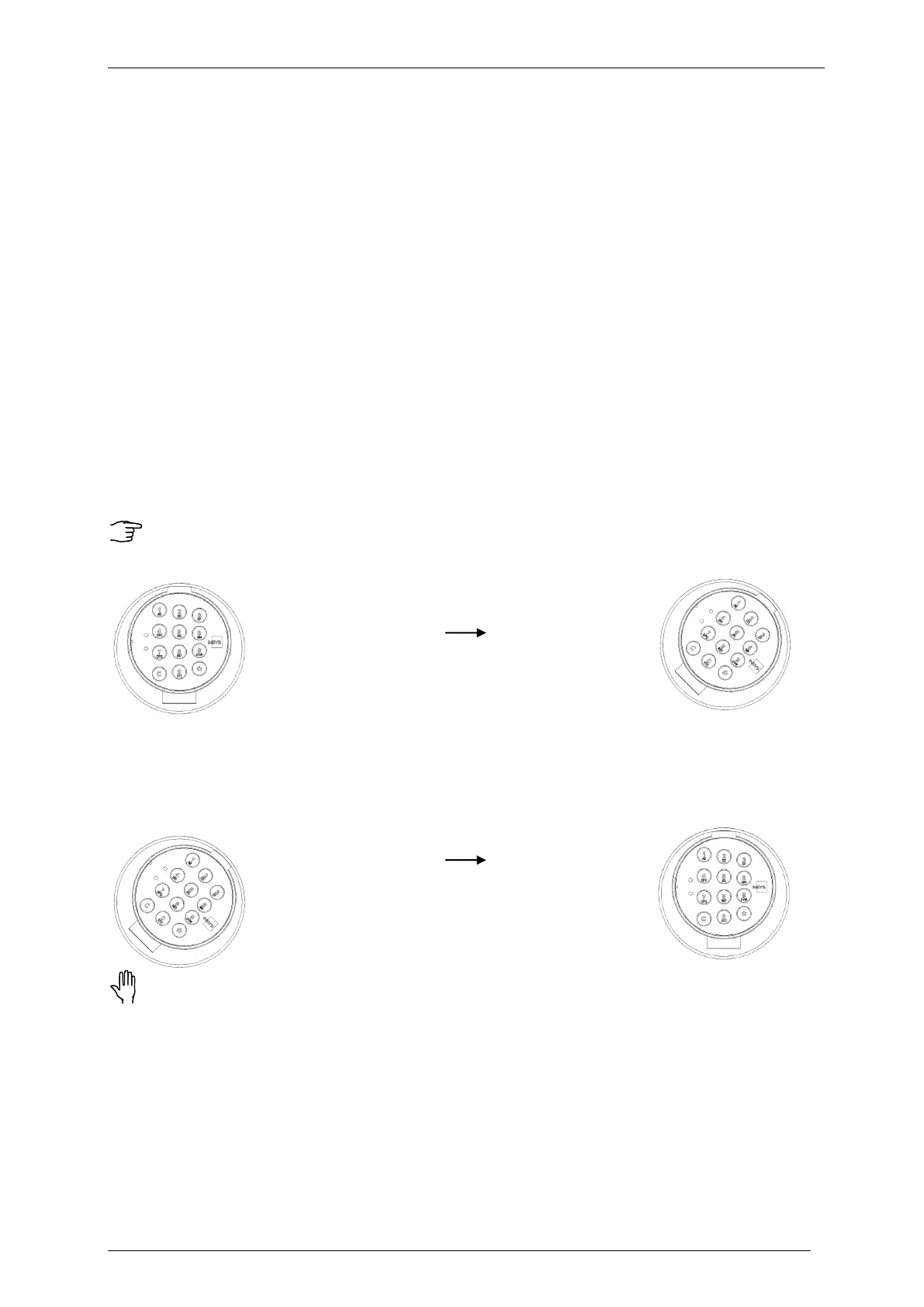
Open the electronic lock within 10 seconds after code input by rotating the keypad
clockwise. If it is not opened within that time span, the lock will lock automatically.
Entering incorrect code four times in sequence activates a lockout / blocked time
lasting 10 seconds. Also see >Visual und Acoustic Signals<.
Electronic lock Electronic lock
CLOSED OPEN
2.1.2 Closing the Electronic Lock
The electronic lock engages automatically 10 seconds after opening.
In order to close it properly, rotate the keypad into its „home position“.
Electronic lock Electronic lock
CLOSED OPEN
After securing the safe, always examine whether the lock is locked properly: Try
repeatedly to rotate the keypad. The lock is locked properly in case it is not
possible to turn the keypad.
2.1.3 Cancelling during Input


 To Next Page