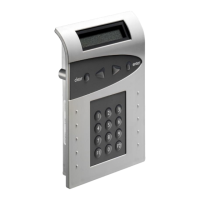
CombiLock 200 simplex / pro / RFID
Handbuch V.1.05 54 Manual V. 1.05
4. Operating Instructions CombiLock 200 pro
4.1 Changing the Master CODE
(start within 10 sec. after opening the lock):
Q Enter old Master CODE
Enter new Master CODE (sample code illustrated)
Q p Enter new Master CODE
4.2 Programming / Changing a User CODE
(begin within 10 sec. after opening):
Max. 9 CODES can be programmed.
With the safe open, verify repeatedly whether the new code works properly.
PID to for user 1 to user 9
Q Master CODE (sample code illustrated)
or, if changing user code, enter your old user CODE
Enter new user CODE (sample code illustrated)
Q p Repeat new user CODE
4.3 Deleting User CODE
(start within 10 seconds after opening the lock):
With the dual code function activated, not all user CODES can be deleted.
In that case, at least one user CODE is to remain valid.
PID for user 1 up to PID for user 9
Q Master CODE (sample code illustrated)
Q p Delete


 To Next Page