62
Listening to the Radio—Continued
Selecting Presets
■ Deleting Presets
Parental Lock
With SIRIUS Parental Lock, you can lock out channels
that you do not want to receive and use a 4-digit PIN
number to prevent others from unlocking them.
AV receiver
Remote
controller
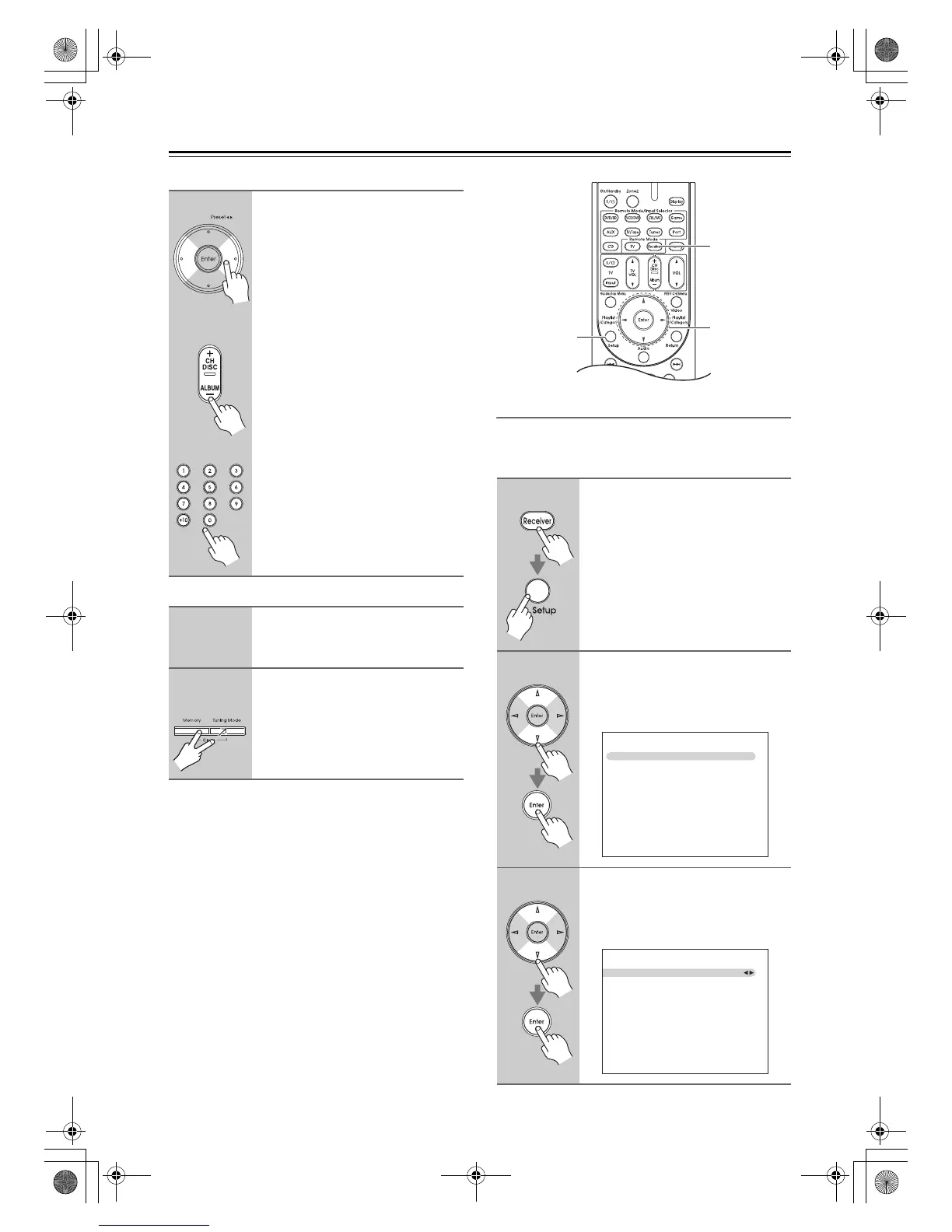
To select a preset, use the Preset
[e]/[r] buttons, or the remote
controller’s CH [+/–] button.
You can also use the remote
controller’s number buttons to
select a preset directly.
1
Select the preset that you want to
delete.
See the previous section.
2
AV receiver
While holding down the [Mem-
ory] button, press the [Tuning
Mode] button.
The preset is deleted and its number
disappears from the display.
1
Press the [Receiver] button, fol-
lowed by the [Setup] button.
The main menu appears onscreen.
2
Use the Up and Down [q]/[w] but-
tons to select “7. Hardware
Setup”, and then press [Enter].
The Hardware Setup menu appears.
3
Use the Up and Down [q]/[w] but-
tons to select “3. Tuner”, and
then press [Enter].
The Tuner screen appears.
Setup
Receiver
qwer
7. Hardware Setup
1. Remote ID
2. Zone 2
3. Tuner
4. HDMI
5. Network
7–3. Tuner
FM/AM Frequency Step
SAT Radio Mode
Antenna Aiming
SURIUS Parental Lock
200kHz/10kHz
SIRIUS
->
->
DTR-30.1_En_A.book 62 ページ 2009年4月9日 木曜日 午後1時30分


 To Next Page