70
Listening to the Radio—Continued
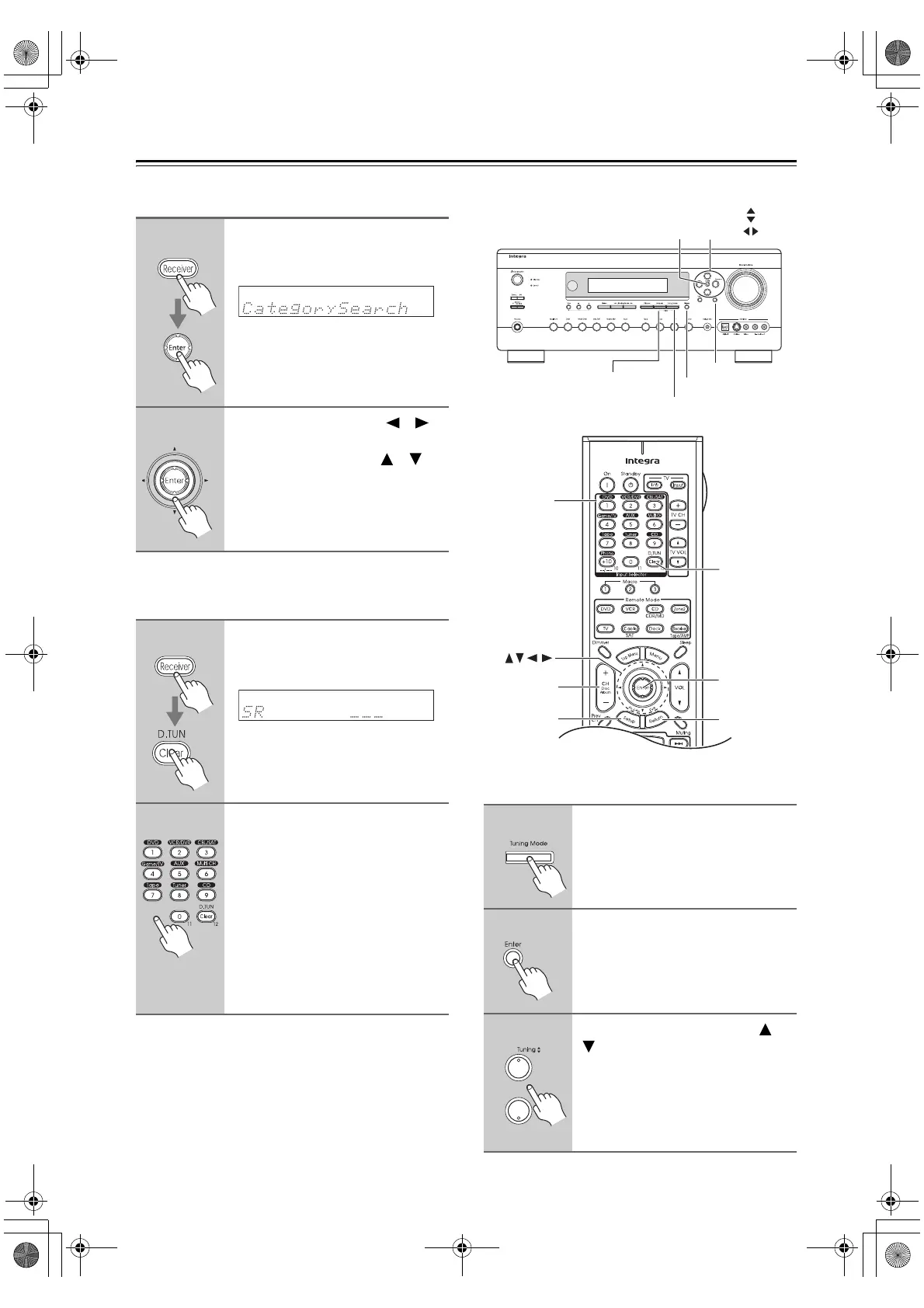
■ Category Search Mode
■ Direct Tuning
You can select a SIRIUS Satellite Radio channel directly
by entering its number.
Notes:
• If you select an unavailable channel, “INVALID
CHANNEL” appears on the display.
• If you select a channel that you are not subscribed to,
“CALL SIRIUS” appears on the display.
• If you select a channel that is locked, you’ll need to
enter your 4-digit PIN number to listen to that channel.
See “Parental Lock” on page 71 for more information.
Selecting SIRIUS Satellite Radio Channels from the
Front Panel:
1
Press the [Receiver] button, fol-
lowed by the [Enter] button to
select “Category Search” mode.
2
Use the Left and Right [ ]/[ ]
buttons to select a category, and
use the Up and Down [ ]/[ ]
buttons to select a channel in
that category.
1
Press the [Receiver] button, fol-
lowed by the [D. TUN] button.
The [Receiver] button flashes.
2
Within 8 seconds, use the num-
ber buttons to enter the channel
number.
The channel is selected.
For example, to select channel #20,
press 0, 2, 0, or 2, 0, [Enter].
Note:
While the [Receiver] button is flashing,
the input source cannot be changed by
using the remote controller.
1
Press the [Tuning Mode] button
to select “Channel Search” or
“Category Search” mode.
2
Press [Enter] repeatedly to select
a category.
3
Use the Tuning Up and Down [ ]/
[ ] buttons to select a channel.
In Channel Search mode, you can
select any channel.
In Category Search mode, you can only
select channels from the currently
selected category.
Return
Tunin
Mode
Memory
Tuning /
Preset
Enter
Display
Setup
CH +
/
–
Enter
Return
D.TUN
Number
buttons
DTR-6.8_En.book Page 70 Wednesday, June 20, 2007 4:16 PM



 To Next Page