71
Listening to the Radio—Continued
Selecting the Previous Channel:
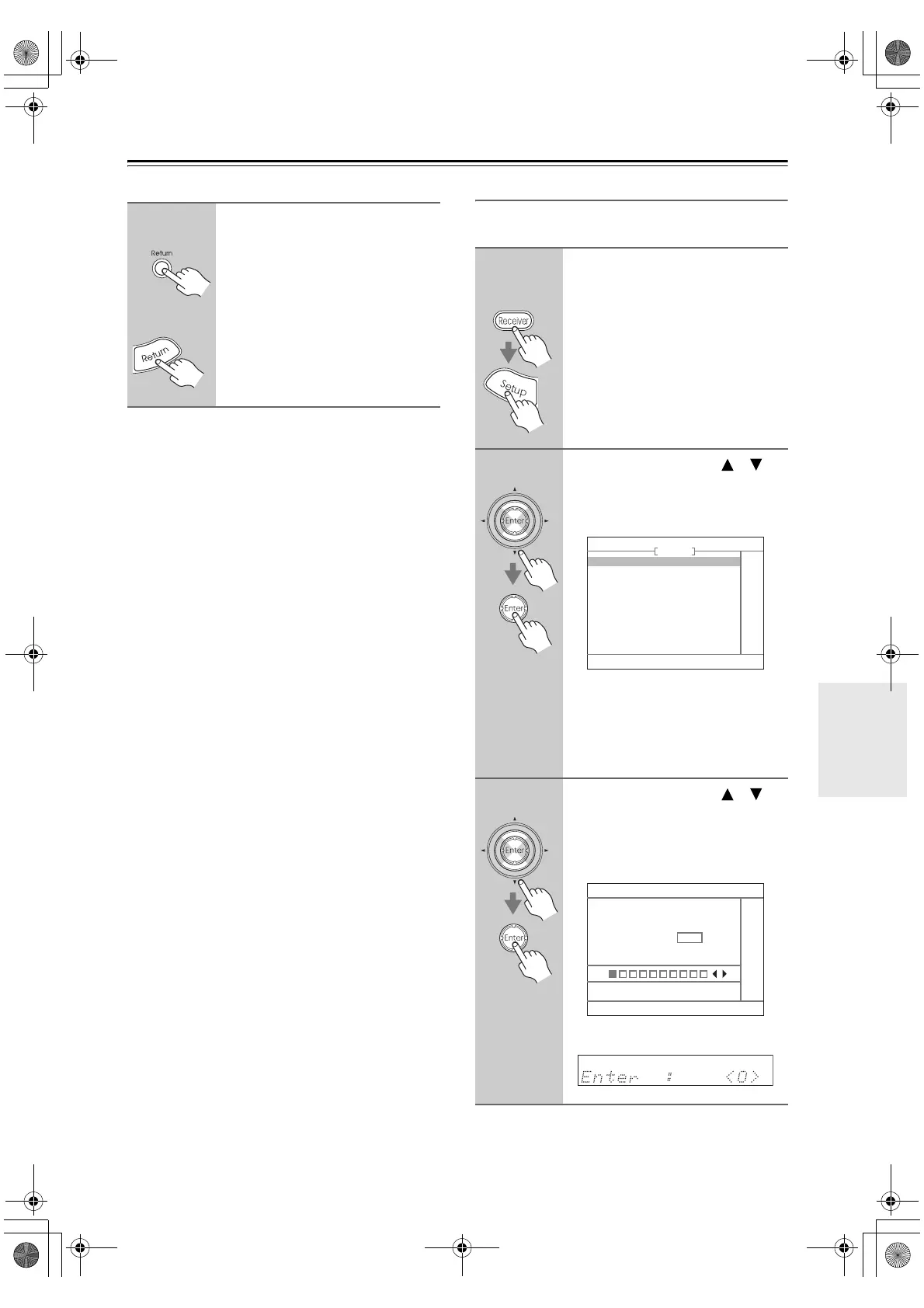
Parental Lock
You can lock out channels that you do not want to
receive.
1
AV receiver
Remote
controller
To listen to the previously
selected SIRIUS Satellite Radio
channel, press the [Return] but-
ton.
1
Remote
controller
Press the [Receiver] button fol-
lowed by the [Setup] button.
The main menu appears onscreen.
2
Use the Up and Down [ ]/[ ]
buttons to select “4. Source
Setup,” and then press [Enter].
The Source Setup menu appears.
Note:
If the Satellite Radio mode is set to
None or XM (see page 68), the “5. SIR-
IUS Parental Lock” item is not avail-
able.
3
Use the Up and Down [ ]/[ ]
buttons to select “5. SIRIUS
Parental Lock,” and then press
[Enter].
The Enter Code screen appears.
“Enter : <0>” appears on the display.
4. Source Setup
1. IntelliVolume
2. A/V Sync
3. Name Edit
4. Satellite Radio
5. SIRIUS Parental Lock
TUNER
4-5. SIRIUS Parental Lock
Enter Code
0 123456789
DTR-6.8_En.book Page 71 Wednesday, June 20, 2007 4:16 PM



 To Next Page