117
Zone 2—Continued
If you’ve connected your Zone 2 speakers to an amp with
no volume control, set the “Zone2 Out” setting, respec-
tively, to “Variable” so that you can set the zone’s vol-
ume, balance, and tone on the AV receiver.
Note:
This procedure can also be performed on the AV receiver
by using its [Setup] button, arrow buttons, and [Enter]
button.
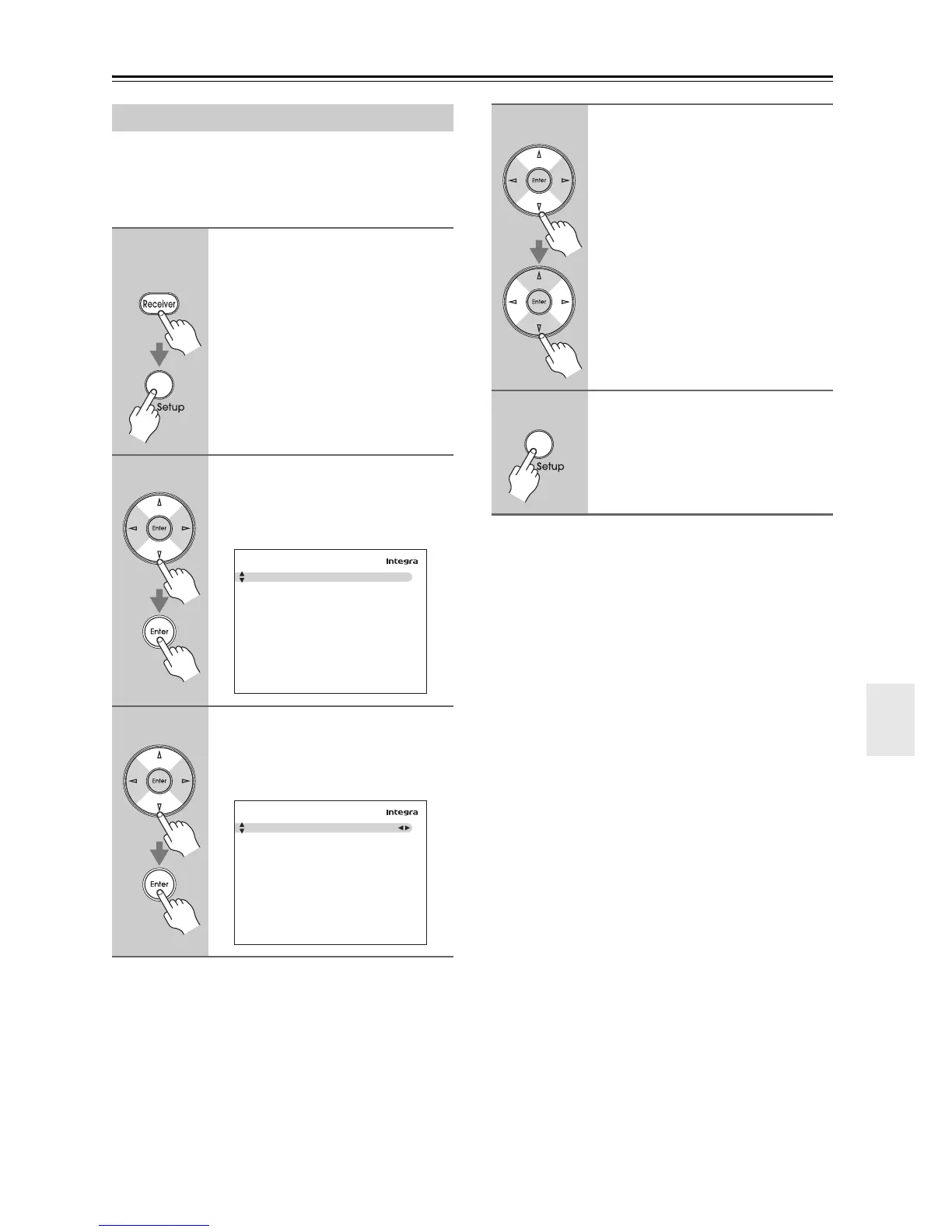
Setting the Zone2 Out
1
Remote
controller
Press the [Receiver] button fol-
lowed by the [Setup] button.
The main menu appears onscreen.
If the main menu doesn’t appear, make
sure the appropriate external input is
selected on your TV.
2
Use the Up and Down [q]/[w] but-
tons to select “7. Hardware
Setup”, and then press [Enter].
The “Hardware Setup” menu appears.
3
Use the Up and Down [q]/[w] but-
tons to select “2. Zone2”, and
then press [Enter].
The “Zone2” menu appears.
7. Hardware Setup
1. Remote Control
2. Zone2
3. Tuner
4. Analog Multich
5. HDMI
6. Network
7–2. Zone2
Powered Zone2
Zone2 Out
Not Act
Fixed
4
Use the Up and Down [q]/[w] but-
tons to select “Zone2 Out”, and
use the Left and Right [e]/[r]
buttons to select:
Fixed:
The Zone 2 volume must be set on
the amp in that zone.
Variable:
The Zone 2 volume can be set on
the AV receiver.
5
Press the [Setup] button.
The setup menu closes.



 To Next Page