109
You may also choose Do not use a template to create your own customized image with
only the drivers and features that you need for your specific product implementation.
In that case, select the desired features that you need, and click Next.
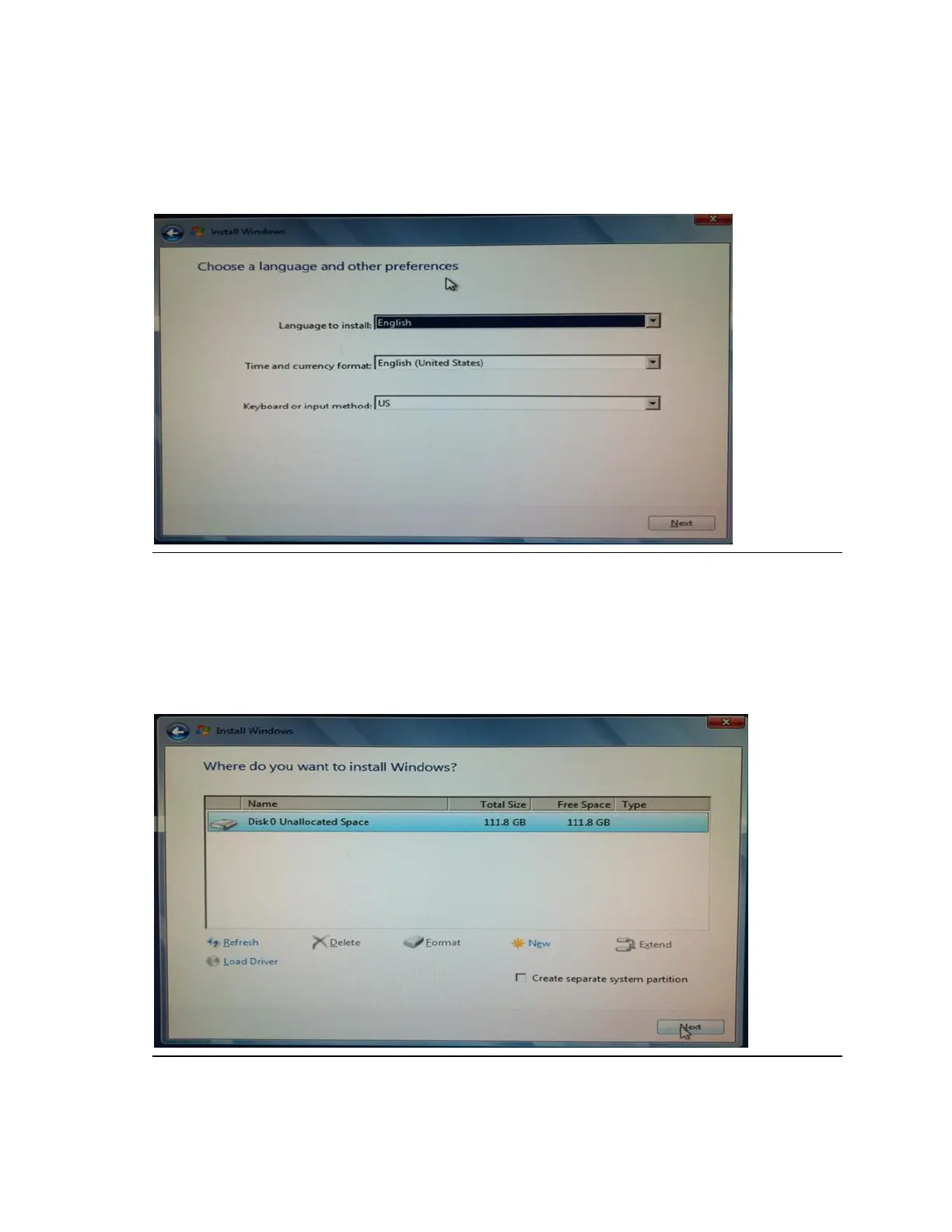
6. Select your preferred language and keyboard region as shown in Figure 36.
Figure 36: Choose a language and other preferences
7. Select a disk install location as shown in Figure 37. You may want to delete any
existing partitions that appear in the list. If not, you can use an unallocated section or
create one using the options. Note that you will likely need at least 8GB of free space
for an install depending on which image options and features you chose in step 5.
When you are finished, click Next.
Figure 37: Where do you want to install Windows?







 To Next Page