71
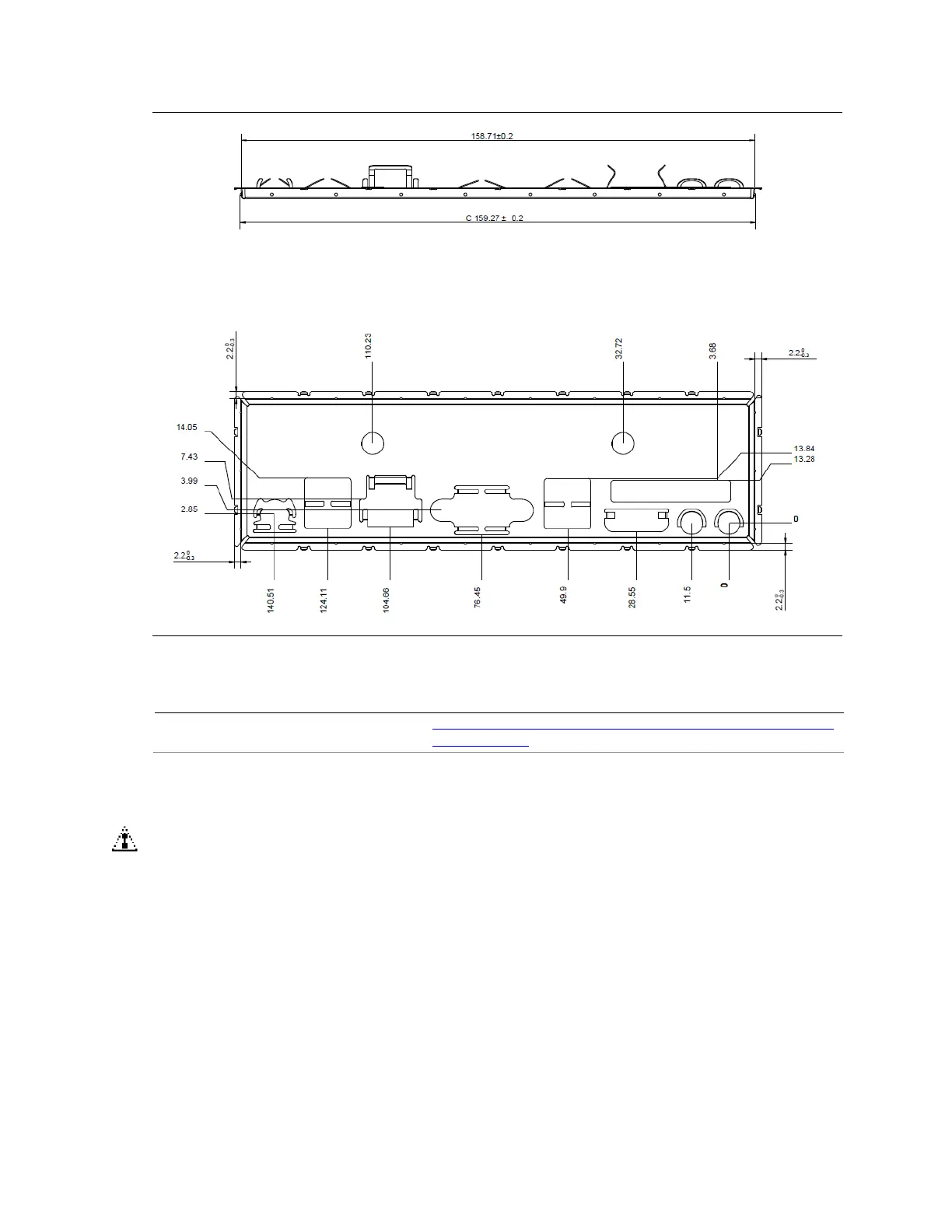
Figure 19. Standard-Height Back Panel I/O Shield
For more information about
Thin mini-ITX form factor
http://www.formfactors.org/developer%5Cspecs%5CMini_ITX_
Spec_V2_0.pdf
3.4 Jumper Block
CAUTION
Do not move the jumper with the power on. Always turn off the power and unplug the
power cord from the computer before changing a jumper setting. Otherwise, the board
could be damaged.
Figure 20 shows the location of the jumper block. The 3-pin jumper block determines
Table 38 describes the jumper settings for the three
modes: Normal, Configure, and Recovery. When the jumper is set to Configure mode
and the computer is powered-up, the BIOS compares the processor version and the
microcode version in the BIOS and reports if the two match.







 To Next Page