VF405 Video Frenzel Instructions for Use - English
Date: 2012-08-24 Page 11/33
3.2 External Camera (VF405 Extended only)
You must install the Logitech®QuickCam® software before connecting your camera, or some of the
camera’s features may not function properly. Only connect your camera when prompted to do so during
the software installation process. You can obtain installation instructions and software drivers
www.logitech.com/support
Insert the installation CD and follow the steps below to install the web camera software. If the installation
procedure does not start automatically, click “Start”, then go to “My Computer” and double-click the
DVD/CD-RW drive to view the contents of the installation CD. Double click the “setup.exe” file to initiate
the installation. Proceed by following the steps below.
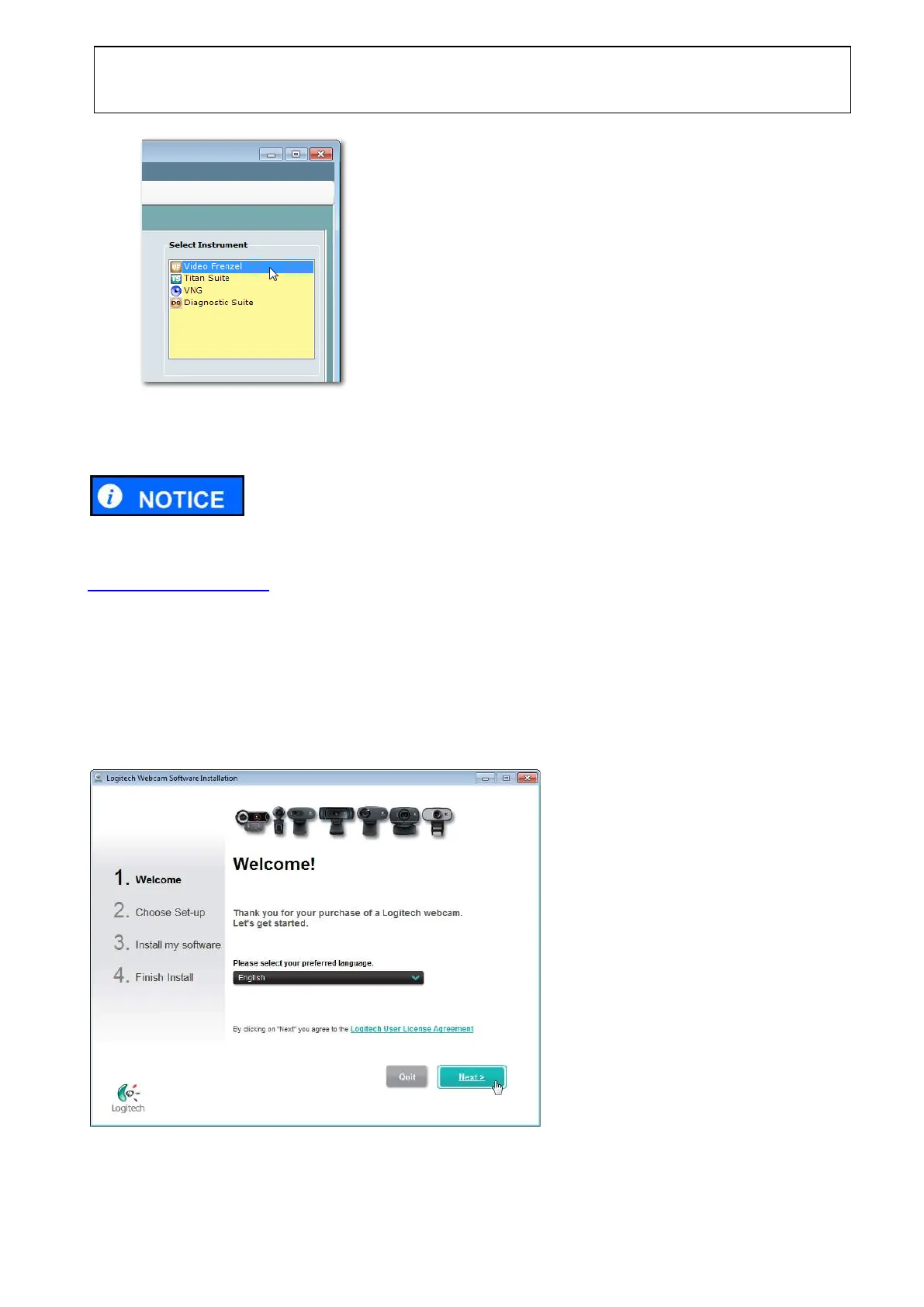
1. In the dialog shown below, select the preferred language and click Next.
2. When prompted by the dialog shown below, connect the camera.















 To Next Page