VF405 Video Frenzel Instructions for Use - English
Date: 2012-08-24 Page 15/33
3.3 Foot Pedal (Option only for VF405 Extended)
The foot pedal is pre-programmed with the following functions:
Connect the foot pedal to any available USB port on the computer. There is no need for installation of
drivers or software.
3.4 Using the Software
3.4.1 General Layout
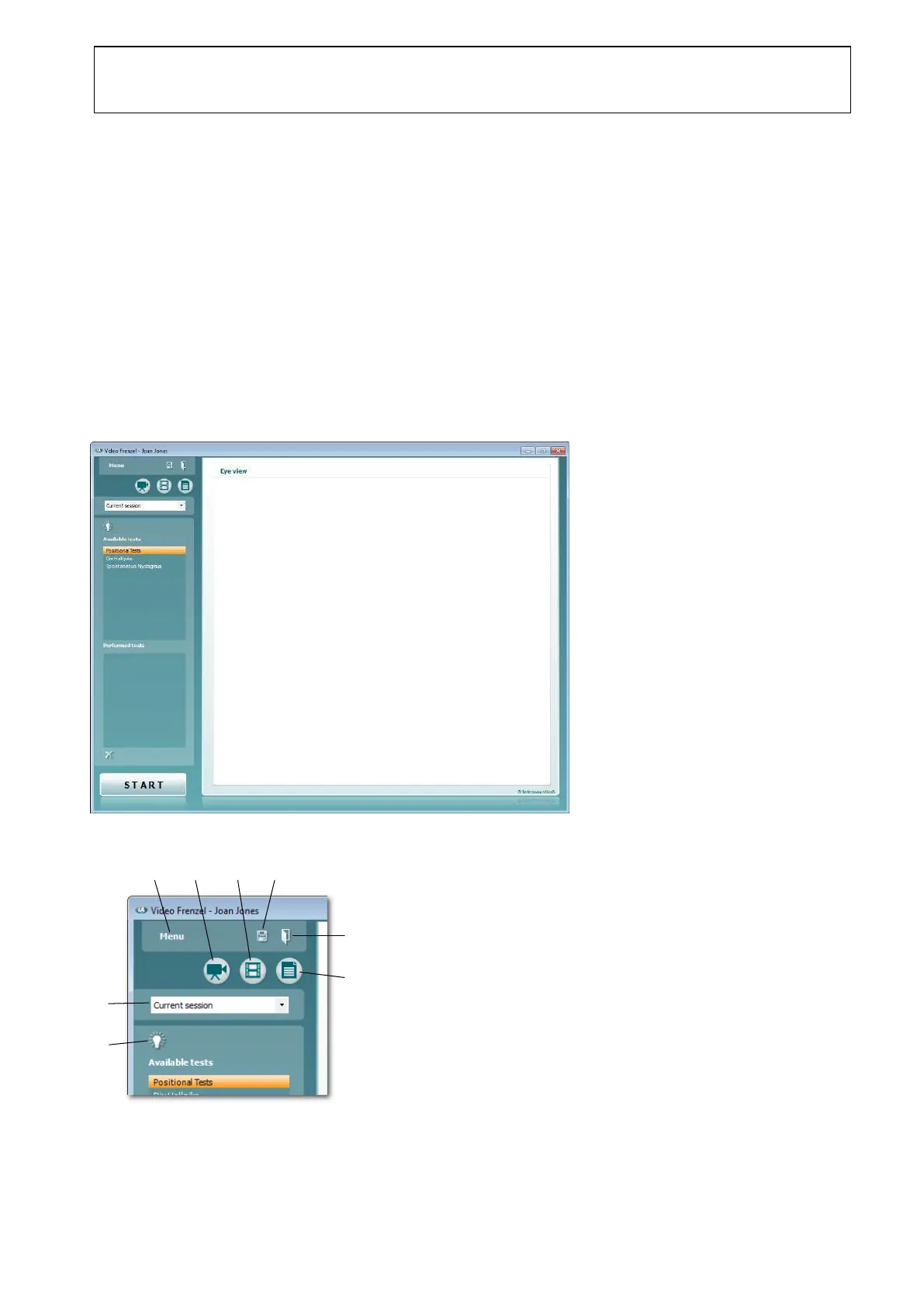
The main window of the Video Frenzel Software is shown below.
The main functions are placed in the top-left corner as detailed below.
Toggle Full/Normal size video playback
Start/Stop video recording
Toggle goggle fixation light on/off















 To Next Page