VF405 Video Frenzel Instructions for Use - English
Date: 2012-08-24 Page 24/33
3.8 Playback Controls
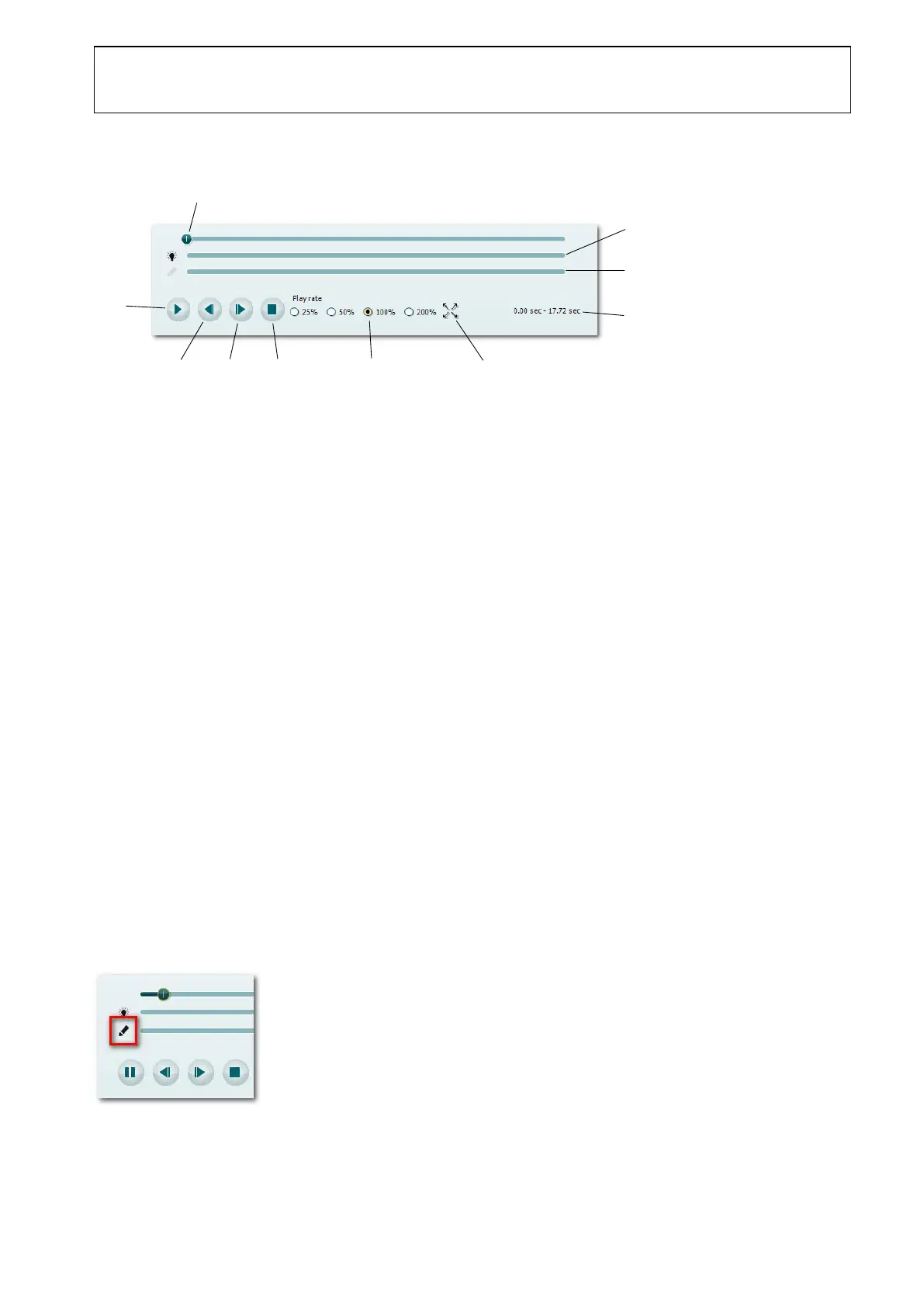
The player controls are located below the video playback frame and supports the following functions.
Video Track bar indicating the current position of the video. Drag the thumb to set the video
at a specific time.
Fixation Light activity bar. Indicates when the fixation light has been turned on.
Video Highlight bar. See section page 29 for more information
.
Elapsed time and total duration indicator.
Toggle full screen playback mode.
Play rate. The video playback speed can be adjusted between 25% and 200% of normal
(100%) speed.
3.9 Video Highlighting
Interesting video sequences can be highlighted and commented by following the procedure below.
Highlights can later be added to a report as described in section 3.11.4.3.
Adding a Highlight
1. Start video playback by clicking the Play button.
2. Notice that the Highlighter button is enabled, once the video playback is started. Click the
Highlighter button to activate highlighting.















 To Next Page