VF405 Video Frenzel Instructions for Use - English
Date: 2012-08-24 Page 16/33
Recording Mode (Extended version only)
Playback Mode (Extended version only)
Save Session (Extended version only)
Report Editor (Extended version only)
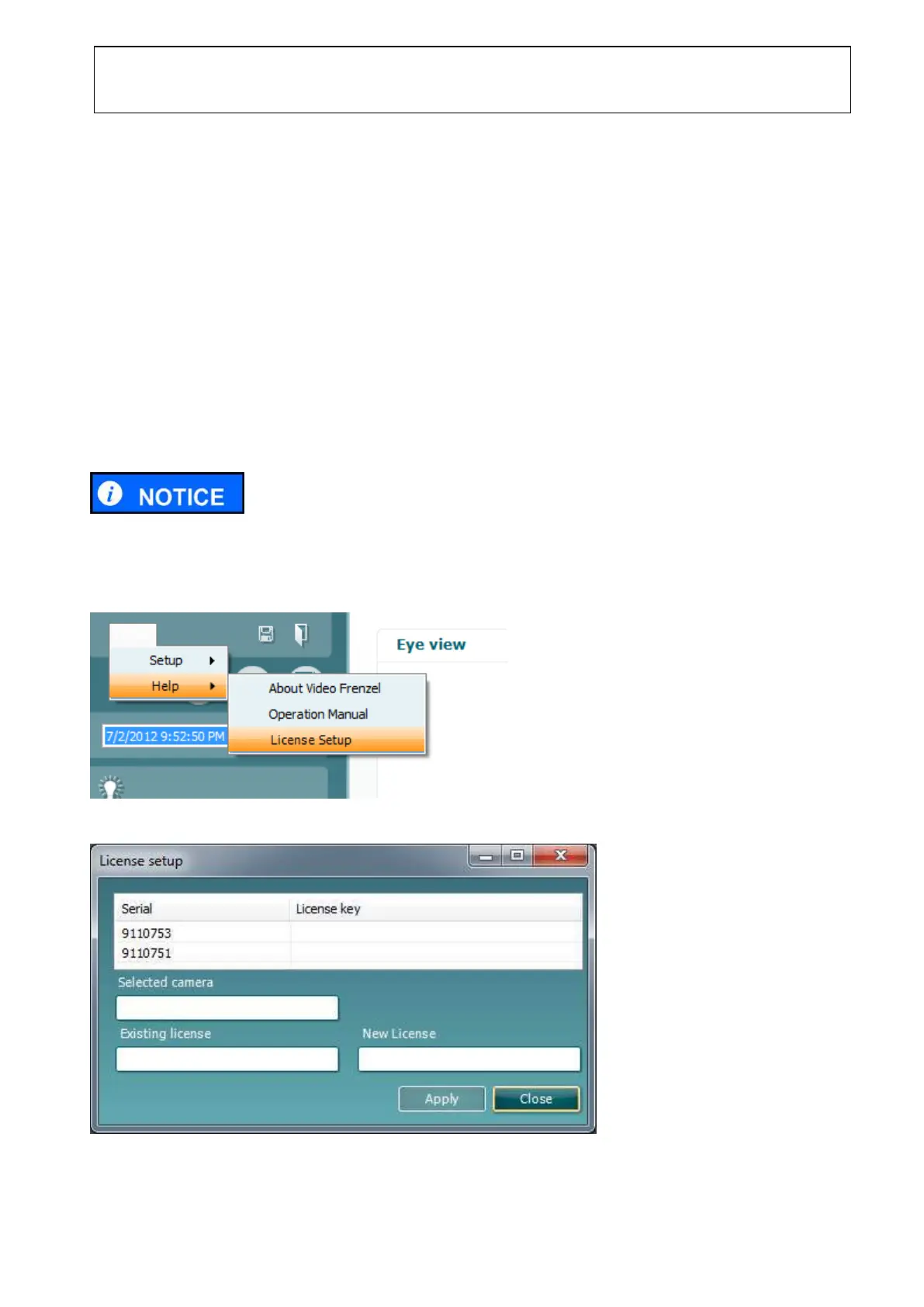
3.4.2 License Setup
To enable Eye View mode and video recording the camera licenses must be entered into the system, as
detailed below.
To complete the license setup successfully, the enclosed License Certificate is required.
1. Connect the camera(s) to the computer.
2. Go to Menu►Help►License Setup as shown above.
3. Click License.















 To Next Page