VF405 Video Frenzel Instructions for Use - English
Date: 2012-08-24 Page 20/33
Enter a name in the Test name box and click Add to add new test names to the list.
To delete a test name, first select in the list and the click Delete.
3.4.8 Recording Video
To select the video recording mode, click the Recording Mode button as shown below.
3.5 General Layout
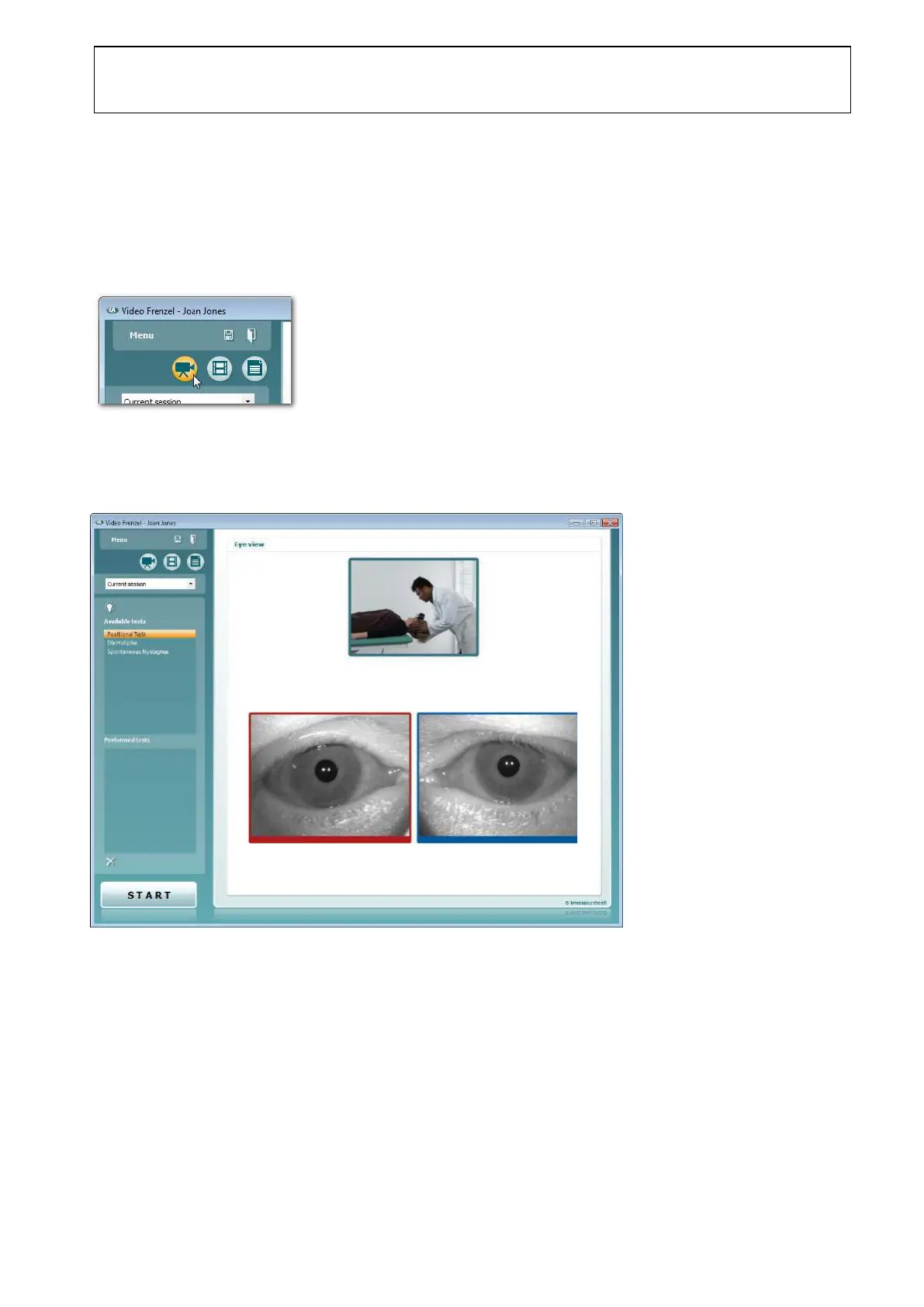
When entering the Recording Mode, the following window is presented.
The Eye view content area contains the live images of all enabled cameras. The view may differ
depending on license category software version. In the example above, both left (blue frame) and right
(red frame) eye cameras are enabled, along with the external (green frame) camera.















 To Next Page