VF405 Video Frenzel Instructions for Use - English
Date: 2012-08-24 Page 29/33
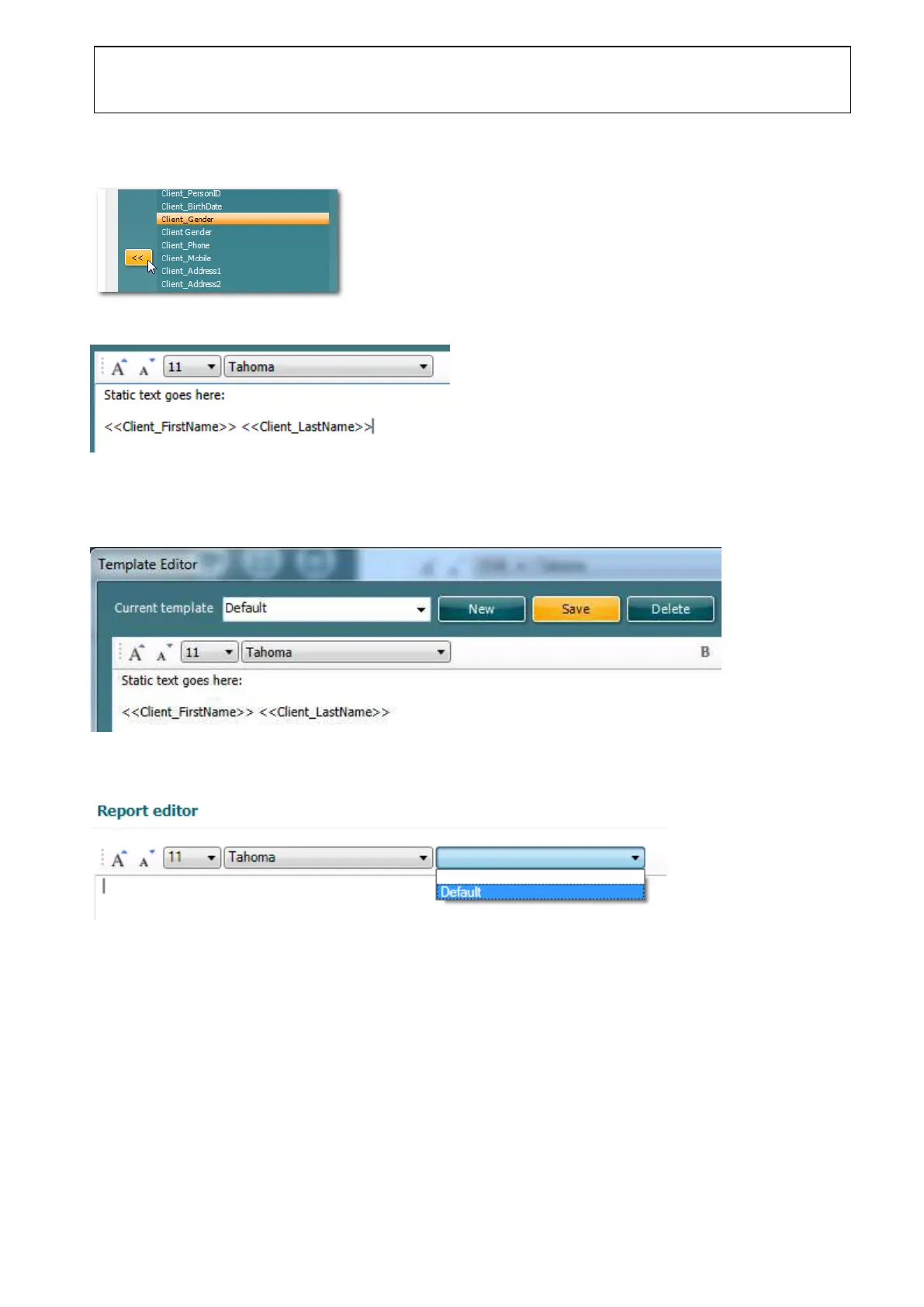
3. Add dynamic data by selecting keywords in the Available Keywords list on the right side, and
clicking the Add Keyword button to add it to the report template.
4. Notice the keyword appearing in the editor.
5. Enter a name for the template in the Current Template text box and click the Save button to save
the report template.
The report template is now available in the drop down list in the report editor.















 To Next Page