30
1
Replacing the front cover
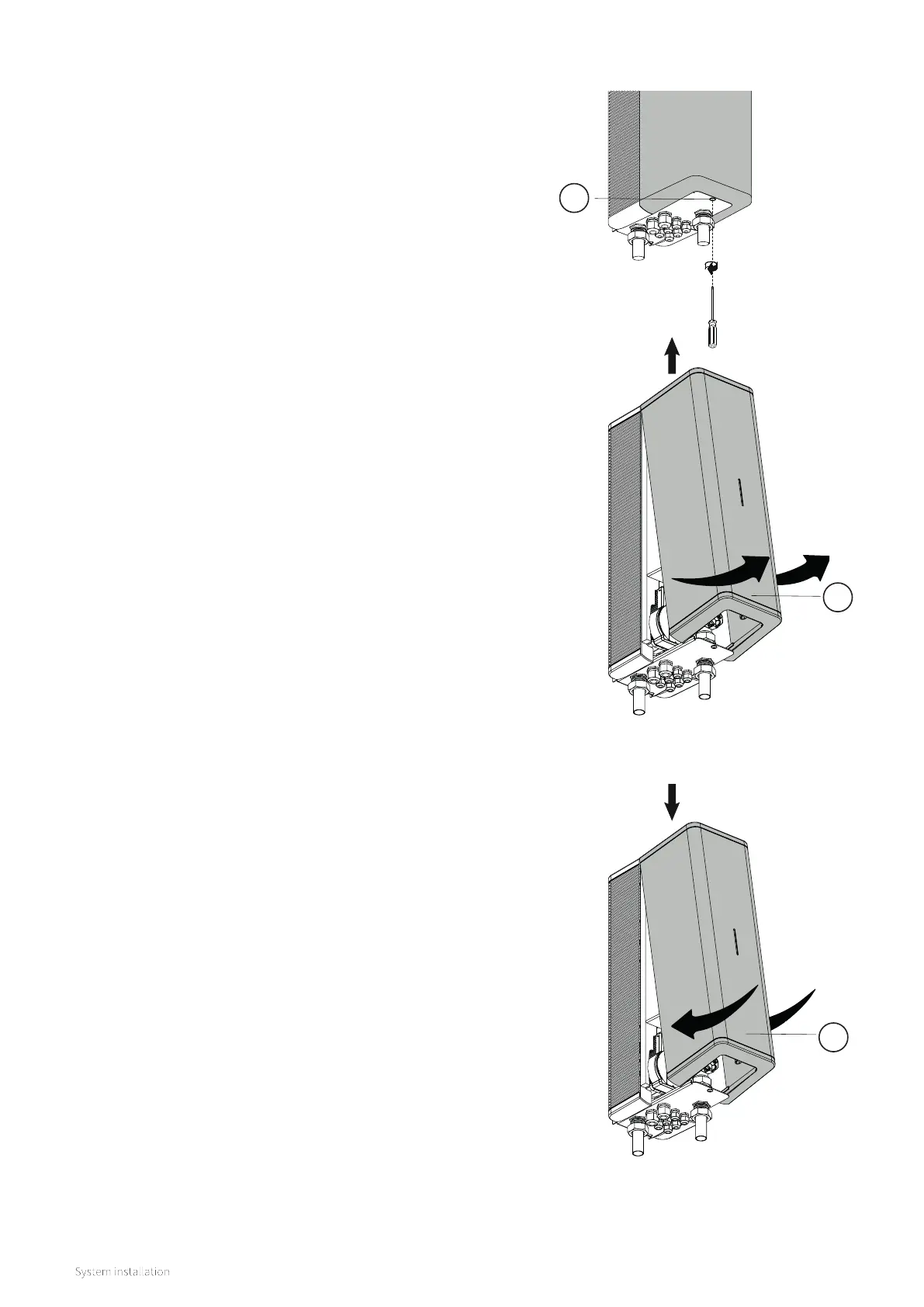
The front cover is replaced as follows:
► Return the front cover (3) to its original position by
lowering onto the top of the indoor unit and then
gently pushing the bottom backwards until it locates
correctly.
► Tighten the screw under the device using a Pozi type
screwdriver.
8.3.3 Removing and replacing the front cover
Before carrying out various types of work on the appliance, the
front cover must be removed. The front cover is removed as
follows:
► Loosen the screw (1) under the device using a Pozi screwdriver.
► Gently pull the front cover (2) forwards at the bottom, and then
slide upwards.
3
2


 To Next Page