Chapter 4: Web configuration
NS3552-8P-2S-V2 User Manual 141
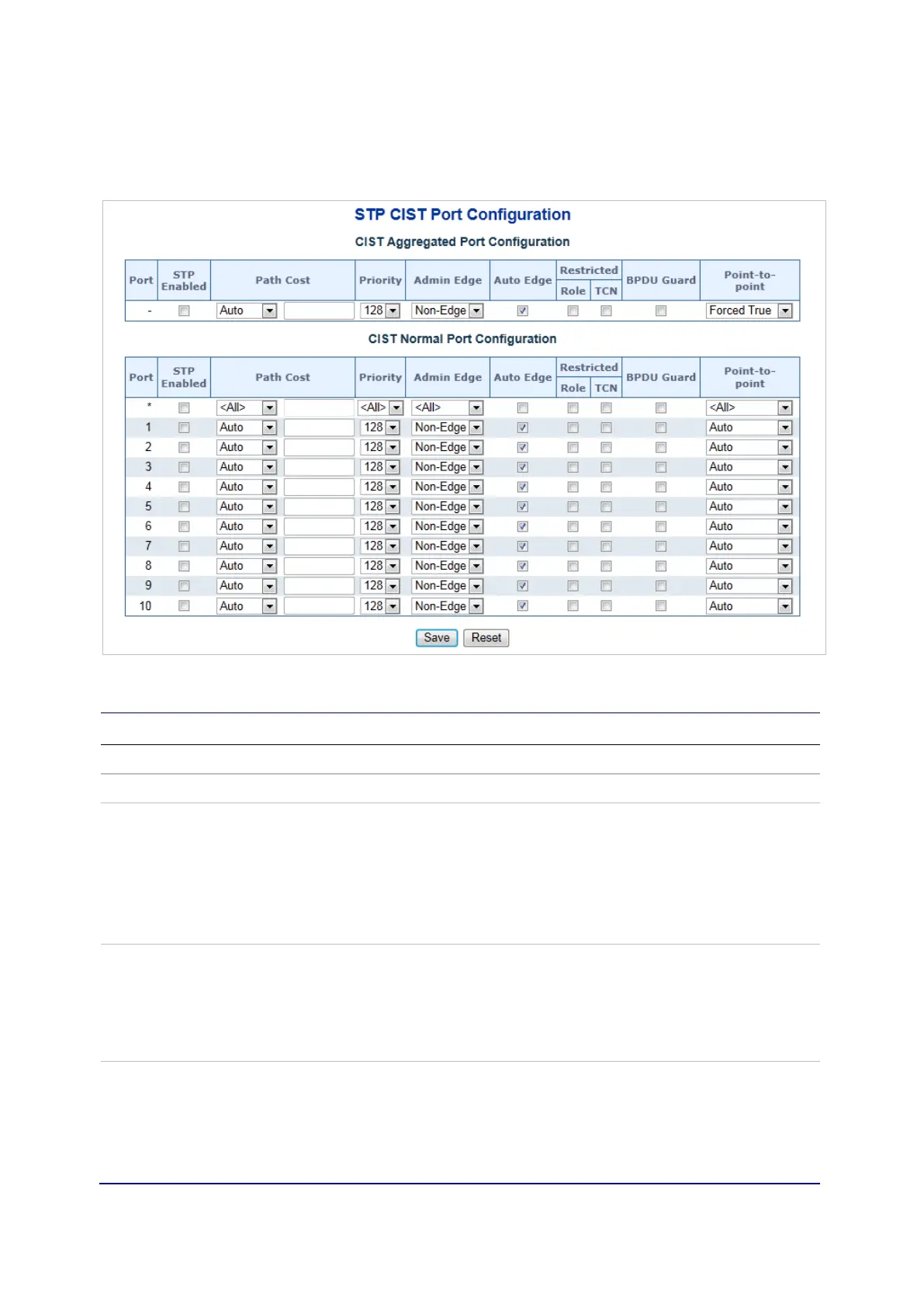
CIST port configuration
This STP CIST Port Configuration page permits the user to inspect and change the
current STP CIST port configurations.
The page includes the following fields:
Object Description
Port The switch port number of the logical STP port.
STP Enabled Controls if RSTP is enabled on this switch port.
Path Cost Controls the path cost incurred by the port. The Auto setting sets the
path cost as appropriate by the physical link speed, using the 802.1D
recommended values. Using the Specific setting, a user-defined
value can be entered. The path cost is used when establishing the
active topology of the network. Lower path cost ports can be chosen
as forwarding ports in favor of higher path cost ports. Valid values are
in the range of 1 to 200000000.
Priority Controls the port priority. This can be used to control priority of ports
having identical port cost. (See above).
Default: 128
Range: 0-240, in steps of 16
All means all ports wil have one specific setting.
operEdge (state flag) Operational flag describing whether the port is connecting directly to
edge devices (no bridges attached). Transition to the forwarding state
is faster for edge ports (having operEdge true) than for other ports.
The value of this flag is based on AdminEdge and AutoEdge fields.
This flag is displayed as Edge in Monitor ->Spanning Tree -> STP
Detailed Bridge Status.



 To Next Page