Chapter 13: Alarm and event setup
TruVision DVR 15HD User Manual 105
Option Description
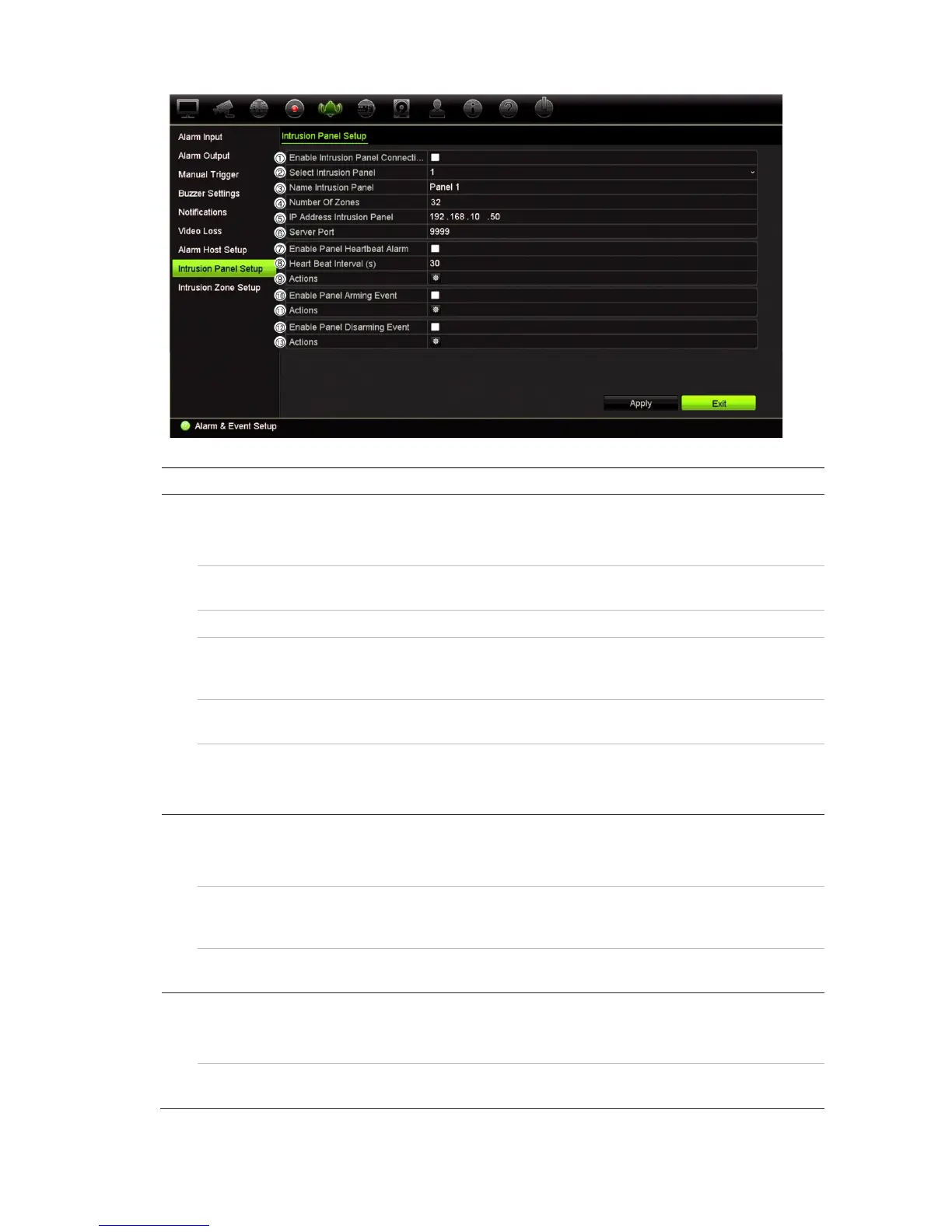
Set up the intrusion panel connection parameters:
1.
Enable Intrusion Panel
Connection
Check this box to enable the intrusion panel connection.
2. Select Intrusion Panel Select which panel you want to set-up. Up to three panels can
be set up.
3. Name Intrusion Panel Enter a name for the panel.
4. Number Of Zones Up to 32 panel zones can report to the recorder. The number
cannot be increased but you can allocate a different ID for each
zone under the “Intrusion Zone Setup” menu.
5. IP Address Intrusion Panel Enter the panel’s IP address. The IP address must be in the
same LAN as the recorder.
6. Server Port Enter the port that is used to report the events. Default is 9999.
This port number must match the port number set up in the
intrusion panel.
Set up the heartbeat alarm parameters:
7. Enable Panel Heartbeat
Alarm
Check this box to enable the panel heartbeat alarm. The
heartbeat alarm will then be reported to the recorder.
8. Heartbeat Interval (s) Enter the interval between two heartbeats. It is measured in
seconds. When the heartbeat is not received within this internal,
an action can be taken for the heartbeat alarm.
9. Actions Click the icon to set up the actions linked to the panel heartbeat
alarm. Go to step 3.
Set up the panel arming event parameters:
10. Enable Panel Arming Event Check this box to enable the panel arming event. When the
panel is armed, it will be reported to the recorder.
11. Actions Click the icon to set up the actions linked to the panel arming
alarm. Go to step 3.


 To Next Page