Chapter 13: Alarm and event setup
106 TruVision DVR 15HD User Manual
Option Description
Set up the panel disarming alarm parameters:
12. Enable Panel Disarming
Event
Check this box to enable the panel disarming event. When the
panel is disarmed, it will be reported to the recorder.
13. Actions Click the icon to set up the actions linked to the panel disarming
alarm. Go to step 3.
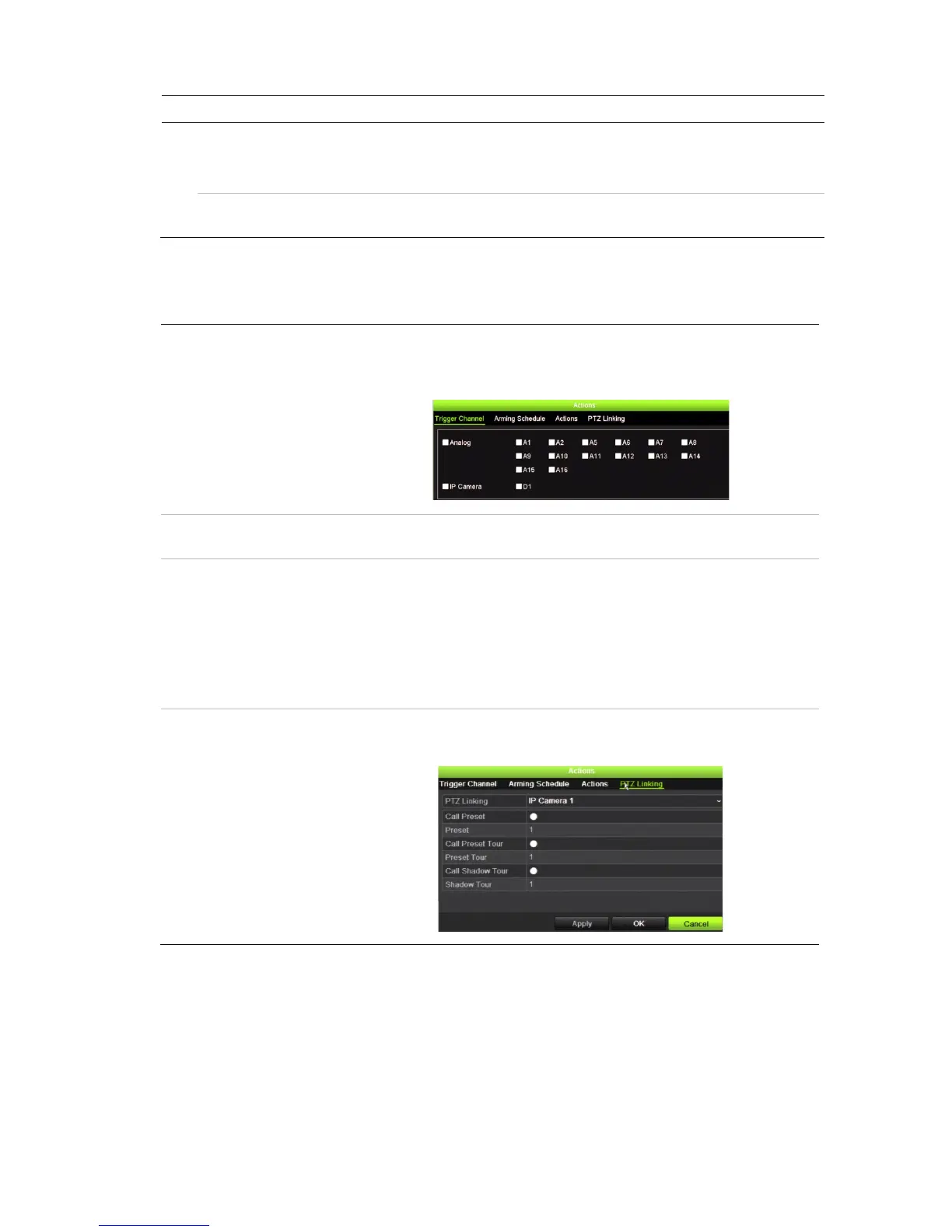
3. To define the actions for the heartbeat, panel arm and panel disarm alarms that are
reported by the intrusion panel, click Action and each of the tabs:
Trigger Channel: Select the cameras that will record when an alarm event is received.
The cameras will record following the main stream (alarm) parameters.
The recordings will be 10 seconds for each assigned camera.
Arming Schedule: Define the alarm schedule for the actions. You can schedule up to
eight periods in a day. Default is 24 hours.
Actions: Check the required action that needs to be executed when an alarm is
received:
Enable an alarm audio (buzzer)
Notify the alarm host (supported by TruVision Navigator 7.0)
Send email
Trigger an alarm output
PTZ Linking: Select the PTZ camera as well as the preset, preset tour, or shadow
tour that is triggered when the alarm/event is detected.
Click Apply to save the settings. Click OK to return to the main window.
4. Click Apply to save the intrusion panel setup parameters.
5. Click Exit to return to live view.
To set up the zones in an alarm panel:
1. From the menu toolbar, click Alarm & Event Setup > Intrusion Zone Setup.


 To Next Page