98
EN
PROGRAMMING AN OFF COMMAND
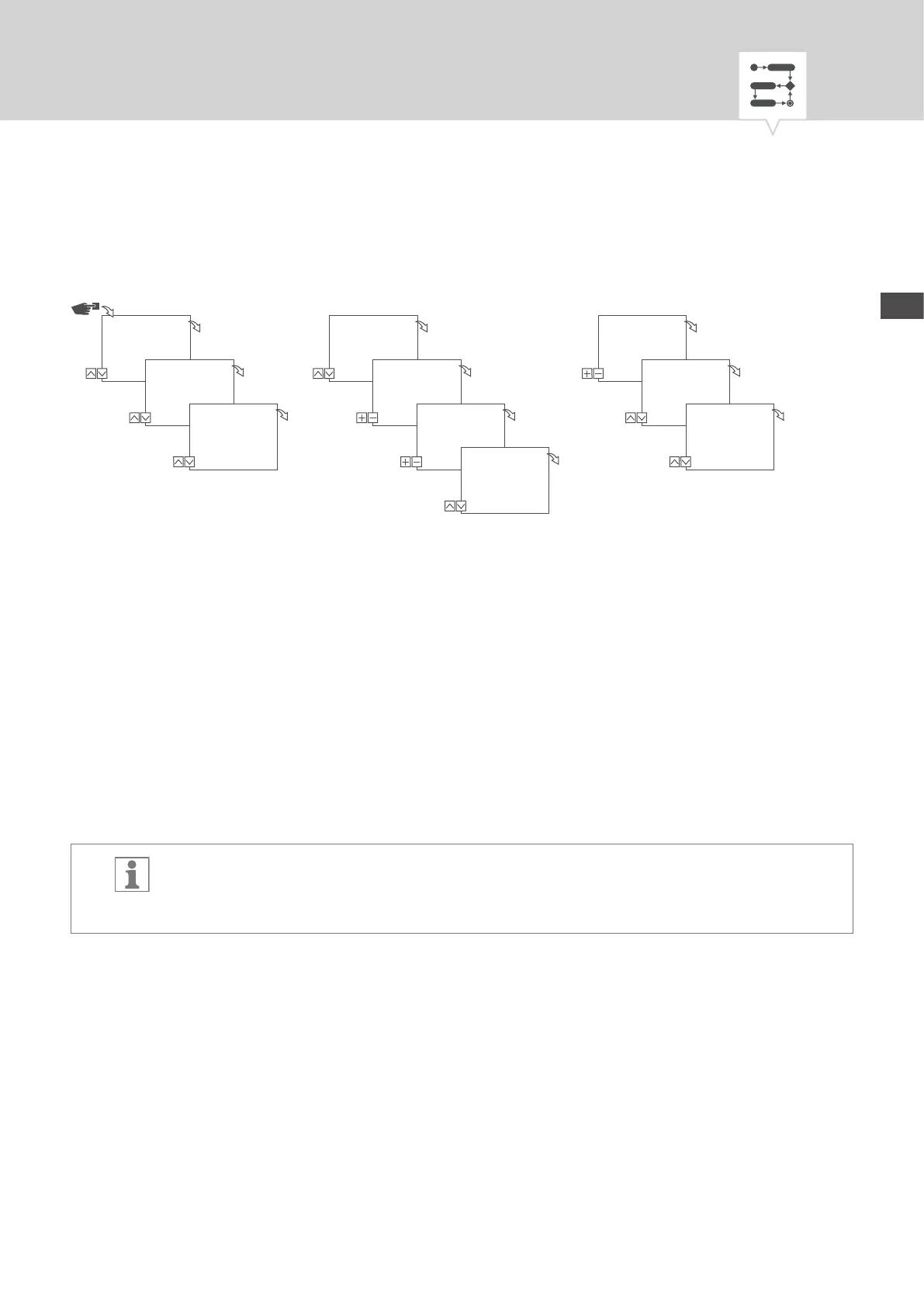
Fig. 30: Programming command OFF
1. Press the Menu button.
2. Select
Program and conrm with OK.
3. Select
New and conrm with OK.
ð The number of available programme memory slots is displayed briey (PXXX).
The number of available switching programme memory slots is displayed briey (dXXX).
4. In menu item
With Date?, specify whether the switching programme is to be programmed with a
date (Ä Chapter „Date-dependent/date-independent programming“ on page93).
5. Select the
OFF function and conrm with OK.
6. Enter the hours and minutes for the switch-on time (+/-) and conrm with
OK.
Variant-dependent: Instead of hours and minutes, you can also select sunrise (Sunrise) or
sunset (
Sunset). Sunrise and sunset is displayed as an additional alternative to the hours and
minutes.
Program
Menu
OK
New
OK
With Date?
Yes/No
OK
Select FNC
OFF
OK
Channels
––
CH1
OK
Add
switching time?
Yes/No
OK
Priority
High
OK
Time
09:01
Hour
OK
Time
9:50
Minutes
OK
Days
12345--
Mon – Fri
OK


 To Next Page
 Loading...