EasyManua.ls Logo

Intermatic Grasslin talento smart B15 - Page 9

Intermatic Grasslin talento smart B15
57 pages
Print Icon
To Next Page IconTo Next Page
To Previous Page IconTo Previous Page
Loading...
64
EN
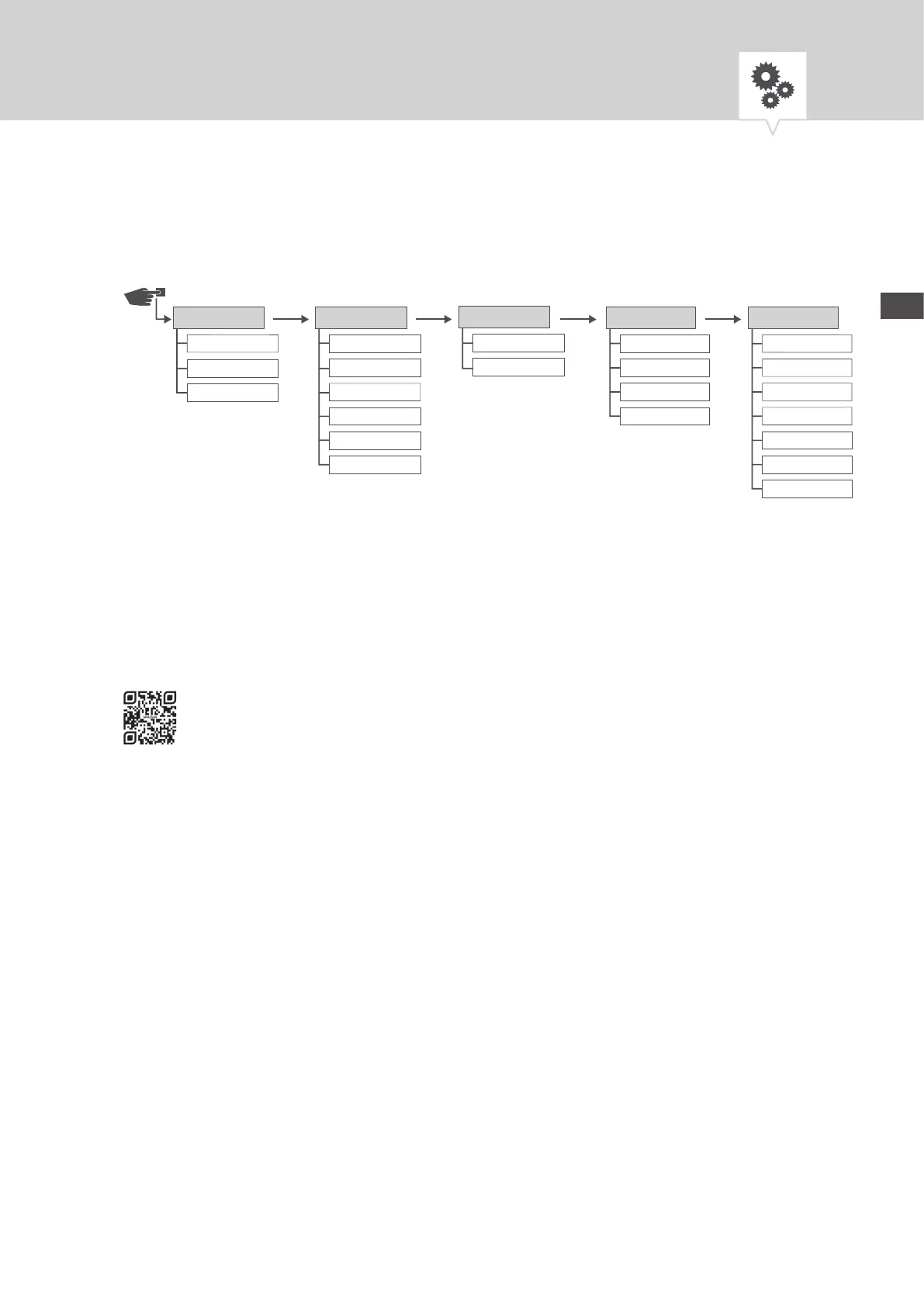
Menu structure
Fig. 3: Menu structure
* These functions depend on the variant.
The menu structure appears on the display when you press the menu button (Fig.2/
7
).
Downloading the app
The DIN-rail timer can be programmed using a mobile device.
The mobile app is available for Android or for iOS devices; alternatively, scan the QR code shown here and
install the app.
Light
Astro*
Hour counter
PIN
Mode*
Bluetooth
CongProgram
New
View/Edit
Delete All
24 hours
AM/PM
Date/Time
English
Deutsch
Français
Español
Português
Italiano
Language
Auto
Calibrate 1
Calibrate 2
Su/Wi-Time
No
Menu

Other manuals for Intermatic Grasslin talento smart B15

Related product manuals