35
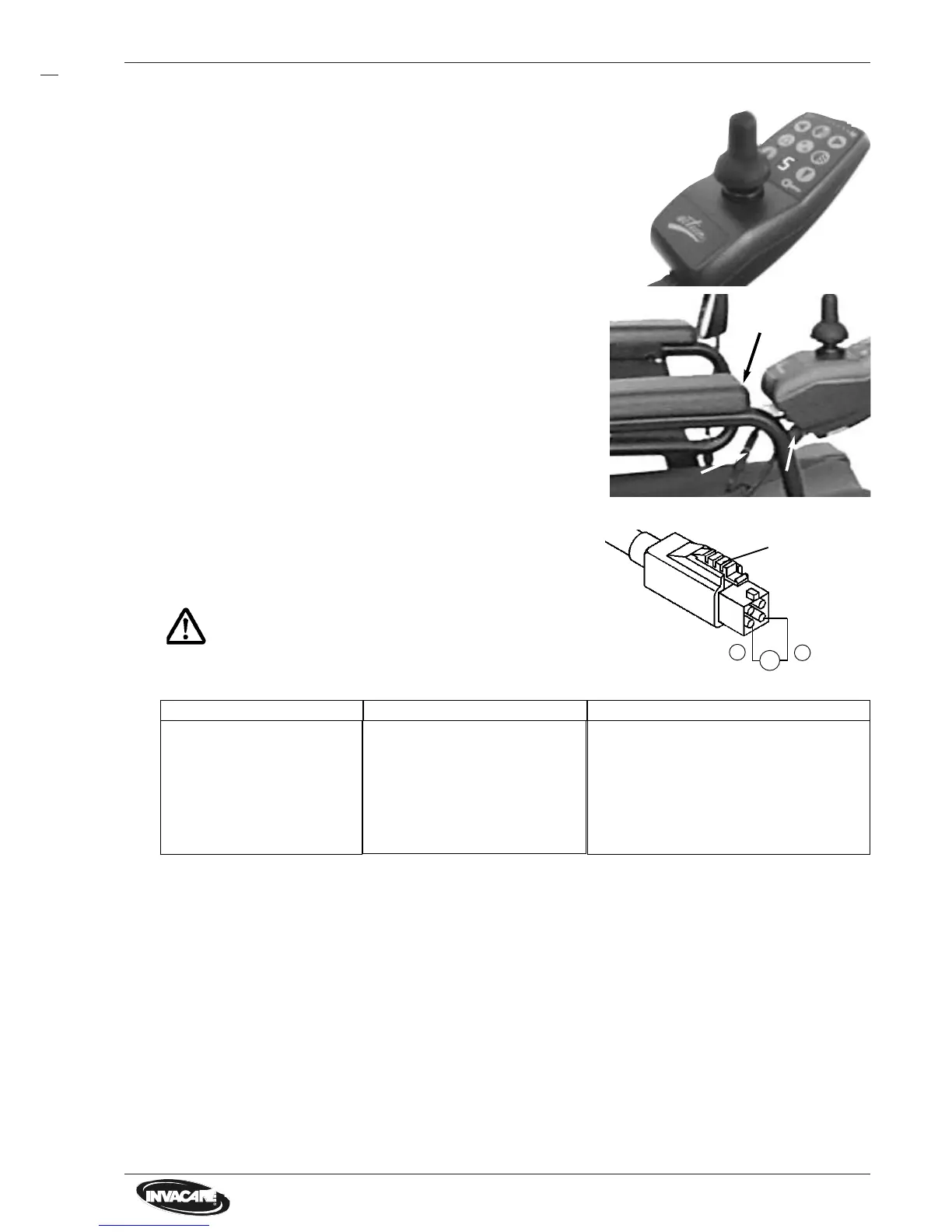
12.2 Remote
NOTE:
• Before control of remote check the charging state of batte
ries.
• Then check status display on errorcodes.
• Status display flashes?
• BUS-plug defective?
• BUS-cable damaged?
• Movement of drive lever
impaired, damaged?
• Remote mounting (armrest)
damaged?
• Display or keyboard faulty?
• Voltage supply to remote
faulty?
(Measurement see below)
> Check error codes.
See chapter 5.1.
> Replace BUS-cable.
Replace BUS-cable.
> Replace remote.
> Renew wing screws, replace
mounting.
> Replace remote.
> Check:
Battery voltage, BUS-plug,
BUS-cable, main module.
Kontrolle Maßnahme
Check voltage supply to remote
• Pull BUS-plug out of remote.
• Measure voltage at marked contacts (see diagram)
The voltage must be at least 19 V.
CAUTION:
Do not short circuit contacts.Danger of short circuit.
min. 19 Volt
V
+
–
Plug locking
Trouble
• No voltage?
• Voltage under 19 V?
Action
> Check/replace BUS-cable.
> Check/replace BUS-cable.
> Check main module.
> Check voltage to main module. See
chapter 12.1.
> Check battery. See chapter 10.1.
Cause
- BUS-cable defective.
- BUS-plug defective.
- Main module defective.
- Deep discharged battery.
Disassembly
• Pull out BUS-plug ofremote.
• Draw off speedometer plug.
• Release wing screws at inner side of armrest.
• Draw off remote out of mounting.
• Remove mounting from armrest.
• Remove cable binder, release crosstip screws
and take off speedometer with mounting from
remote.
• If necessary remove seat padding, bring seat in
service position and arrest.
• Remove all cable binders from BUS-cable, relea-
se BUS-plug at main module and replace BUS-
cable completely.
NOTE:
• During assembly use new cable binders.
• Secure that all plugs are clicked in correctly.
Standardremote
BUS-Plug
Wing-
screws
Speedometerplug
BUS-plug
Trouble index for remote
Assembly
• Assembly is carried out in reverse order.






 To Next Page