SECTION 10—TDX, FORMULA TRE, 2G TARSYS AND FORMULA PTO PLUS BATTERIES
TDX™ Wheelchairs 110 Part No 1114809
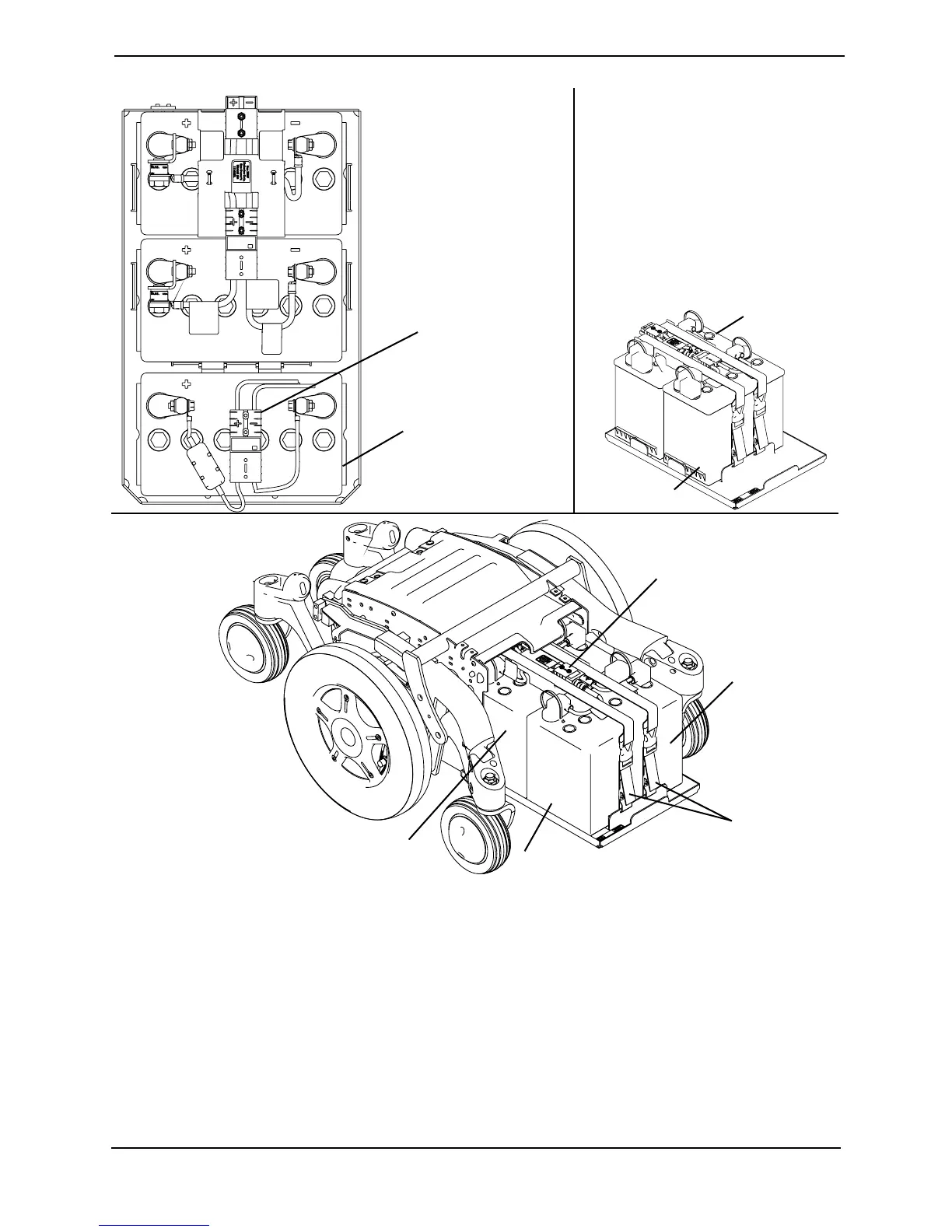
FIGURE 10.3 Removing the Batteries from Wheelchairs without Elevate
Removing the Batteries from Wheelchairs with Elevate
NOTE: For this procedure, refer to FIGURE 10.4 on page 111.
1. Grasp and pull the YELLOW battery connector tab to unplug the front battery.
2. Slide the front battery FORWARD and remove it from the battery box.
3. Grasp and pull the BLACK battery connector tab to unplug the rear battery.
4. Slide the rear battery FORWARD and remove it from the battery box.
Disconnect front battery
from rear battery here
(STEP 5)
GP24 Batteries
with GP24
Battery Tray
DETAIL “A”
DETAIL “B” - 22NF
BATTERIES WITH
22NF BATTERY TRAY
Disconnect ventilator
battery from wiring
harness HERE
Ventilator
Battery
REAR OF
WHEELCHAIR
FRONT OF
WHEELCHAIR
Rear Battery
Front Battery
Front Battery
Rear Battery
Battery
Straps










 To Next Page