SECTION 5—WHEELCHAIR OPERATION
Part No 1114809 63 TDX™ Wheelchairs
DPJ Joystick Switches and Indicators
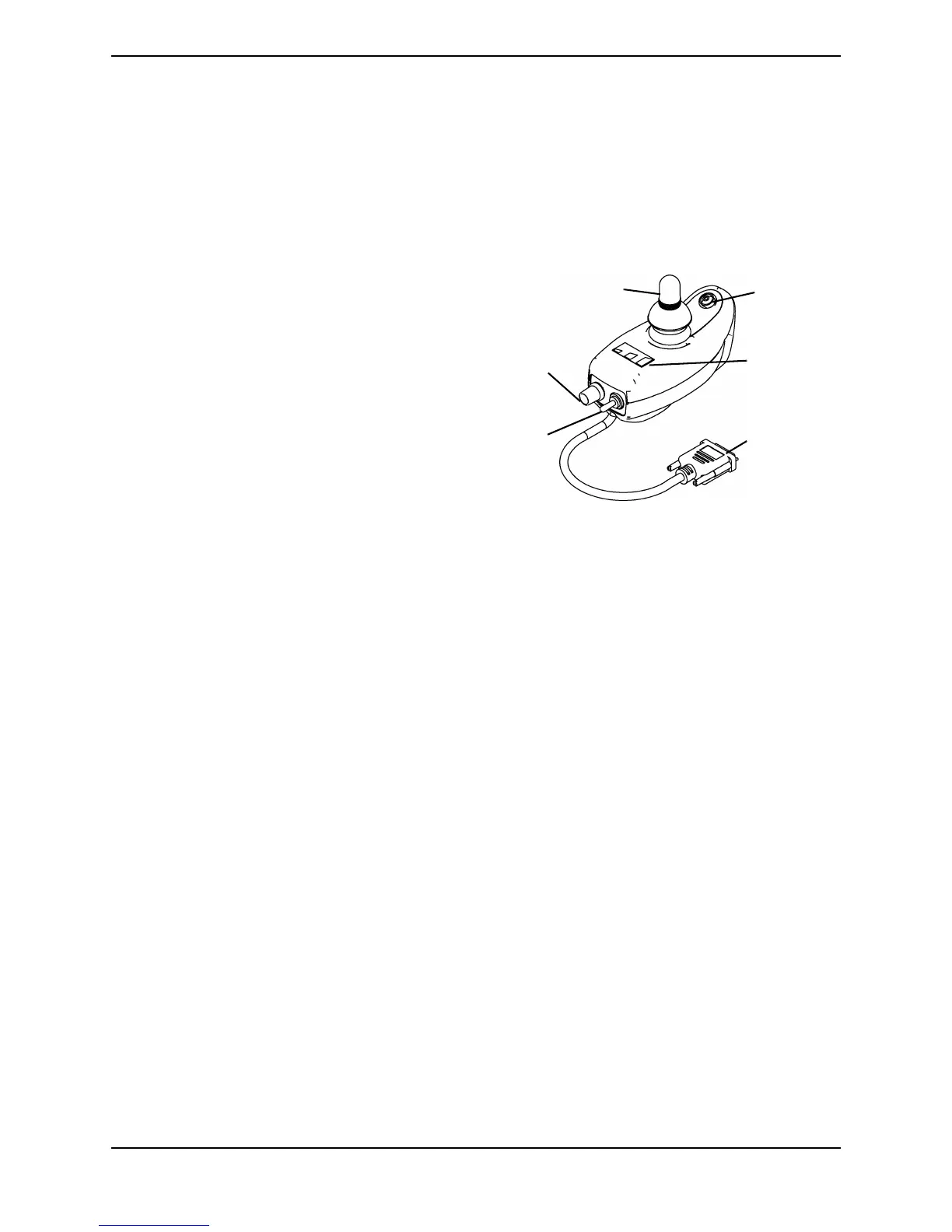
NOTE: For this procedure, refer to FIGURE 5.6.
NOTE: The DPJ joystick must be used with the MK5 EX
™
controller.
Drive Select Toggle Switch
The three position drive select toggle
switch is located at the back of the joystick
housing. This switch allows the operator to
select the type of operation or performance
which best suits a particular control need
or situation. The DRIVE 1 program uses
performance values which are
independent of those used for the DRIVE 2
program. As an example, an operator may
have a control need for spasticity in the
morning and a very different need in the
afternoon. DRIVE 1 can be programmed
for higher speeds and quicker response
while DRIVE 2 can be programmed for
slower speeds and less responsiveness or
vice versa.
FIGURE 5.6 DPJ Joystick Switches and
Indicators
Selecting the drive mode
1. To select DRIVE 1 mode, move the toggle up.
2. To select DRIVE 2 mode, move the toggle to the MIDDLE position.
Speed Control Knob
The speed control knob is located at the back of the joystick housing.
1. Turn the knob clockwise to increase the maximum speed of the wheelchair.
2. Turn the knob counterclockwise to decrease the maximum speed of the wheelchair.
Joystick
The joystick provides proportional drive control of speed and direction.
Mode (On/Off) Switch
The mode (on/off) switch is a push button switch located at the front of the joystick. When
an optional actuator control is present, pushing the switch will change the controller
mode to control the wheelchairs actuators through the joystick. The mode switch LED
indicator will be ON. Push the switch again to return to normal joystick driving. The
mode switch LED indicator will be off.
Mode
Switch
Battery
Gauge
Display
Drive
Select
Toggle
Switch
Speed
Control
Knob
To Controlle
Joystick




 To Next Page