EasyManua.ls Logo

Iomega ScreenPlay - User Manual

Iomega ScreenPlay
65 pages
Print Icon
To Next Page IconTo Next Page
Loading...
Iomega
®
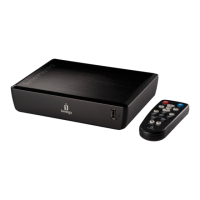
ScreenPlay
®
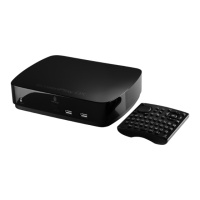
TV Link DX
HD Media Player
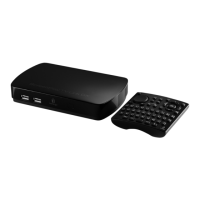
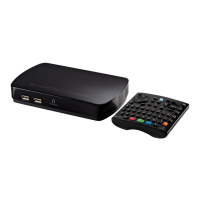
The Iomega ScreenPlay TV Link DX is an easy and convenient way to browse digital content
transferred to, or stored on, a USB drive and watch it on your TV. In addition, you can stream
content from the Internet directly to your TV and browse and play media files stored on your
home network volumes or DLNA-compliant devices connected to your network.
z Browse and share media files on your home network
z Directly access online content from Internet media sites, including Flickr
®
and YouTube
,
and from Internet feeds such as Internet Radio, podcasts, or RSS
z Access social media sites (for example, Facebook or Twitter)
z 1080p High Definition*
z Compatible with the latest media formats
z DivX
®
Plus HD Certified
z DLNA certified
*Must be supported by the TV. Used automatically if the TV supports it and the ScreenPlay TV Link DX is connected via HDMI with
Auto setting.
NOTE: It may be a criminal offense under applicable copyright laws to make unauthorized copies
of copyright protected material, including videos, films, broadcasts, and non-original sound and
video recordings. This equipment should not be used for these purposes.
Iomega, the stylized "i" logo, and ScreenPlay are either registered trademarks or trademarks of Iomega Corporation in the United
States and/or other countries. Microsoft and Windows are either registered trademarks or trademarks of Microsoft Corporation in
the United States and/or other countries. Apple and Mac are registered trademarks or trademarks of Apple Inc. in the United
States and/or other countries. Certain other product names, brand names, and company names may be trademarks or designations

of their respective owners.
Seite
1
von
65
27.
06.
2011
-
html
-
en/tvlinkdx
-
html
-
en/consolidated/printall.html

Table of Contents

Other manuals for Iomega ScreenPlay

Question and Answer IconNeed help?

Do you have a question about the Iomega ScreenPlay and is the answer not in the manual?

Summary

Product Specifications

Installation and Setup

Safety Information

Outlines essential safety precautions for operating the device and its accessories.

First Time Startup and Settings

Covers the initial setup wizard and how to configure device settings.

Using Controls and Menus

Player Features

Playing Media Content

Instructions for playing digital movies, listening to music, and viewing photos.

Media Sharing and Network

Troubleshooting

TV Connection Issues

Solutions for issues related to connecting the device to a TV.

Media Playback Problems

Troubleshooting steps for media files not playing or displaying correctly.

Network Connection Issues

Guides for resolving issues with network connectivity and recognition.

Summary

Product Specifications

Installation and Setup

Safety Information

Outlines essential safety precautions for operating the device and its accessories.

First Time Startup and Settings

Covers the initial setup wizard and how to configure device settings.

Using Controls and Menus

Player Features

Playing Media Content

Instructions for playing digital movies, listening to music, and viewing photos.

Media Sharing and Network

Troubleshooting

TV Connection Issues

Solutions for issues related to connecting the device to a TV.

Media Playback Problems

Troubleshooting steps for media files not playing or displaying correctly.

Network Connection Issues

Guides for resolving issues with network connectivity and recognition.

Iomega ScreenPlay Specifications

General IconGeneral
Video OutputHDMI, Composite Video
ConnectivityUSB 2.0
Audio OutputHDMI, Stereo RCA
File Formats SupportedAVI, MP4, MOV, VOB, DAT
Audio Formats SupportedMP3, WMA, WAV
Image Formats SupportedJPEG, BMP, GIF

Related product manuals