Chapter
Title and Edition
NOTE: The options available vary depending on the format of the selected video.
| top of page |
DVD Folder
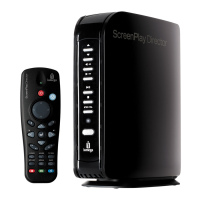
A DVD folder contains complete files for a DVD movie. The ScreenPlay TV Link DX can play back a
movie from a DVD folder just like playing back a DVD disc. To create a DVD folder, connect the
ScreenPlay TV Link DX to your computer, insert the DVD disc into the computer's optical drive,
and use My Computer or Windows Explorer to browse the disc. Copy the entire "VIDEO_TS" folder
from the DVD to the ScreenPlay TV Link DX. To play the DVD movie, navigate to the VIDEO_TS
folder, select the VIDEO_TS IFO file and press the play button.
NOTE: If the DVD folder is incomplete, you can still play back the VOB files directly. Functions
controlled by the IFO file, such as the selection of subtitles, chapters, and angles, will be lost.
IMPORTANT! Some DVD discs cannot be copied because they have been protected with CSS
protection. Always obey copyright and intellectual property rights. Do not copy DVDs with
copyright and do not distribute them to others.
| top of page |









 To Next Page