Connecting to Online Media
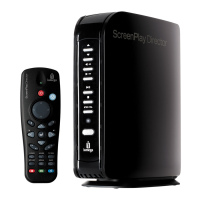
ScreenPlay TV Link DX features direct access to online content from Internet media sites,
including Flickr
®
and YouTube
™
, and from Internet feeds such as Internet Radio, podcasts, or RSS.
You can also use your ScreenPlay TV Link DX to interact with social media sites, such as Facebook.
IMPORTANT! The ScreenPlay TV Link DX must be connected to a network that is connected to the
Internet in order to access any online content.
Accessing Online Media
To access the ScreenPlay TV Link DX online media options, select the Online Media icon from the
ScreenPlay TV Link DX home screen:
Use the up/down navigation buttons on the remote control to highlight the option you want to use
and press Enter to select it. Refer to the information below for additional instructions on using
the online media options.
You can also use the WEB button on the remote control for quick access to the online media
options.
NOTE: Online media options for the ScreenPlay TV Link DX may change over time or across
regions, so all of the options described in this section might not be available, or other options
could be added. Use the up/down navigation buttons to scroll through all of the online media
options available on your ScreenPlay TV Link DX. Press Enter to explore the highlighted option.









 To Next Page