z Supported Media Formats
z Supported AV Connections
z Supported Computer Interfaces
z Network Client Requirements
z Format Requirements
Supported Media Formats
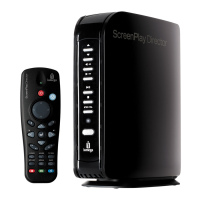
The ScreenPlay TV Link DX supports the following types of media files:
NOTE: Although the ScreenPlay TV Link DX supports the listed file types, it might not be able to
support every codec used to create the files. Check the support area on www.iomega.com for the
latest information on supported file types.
| top of page |
Supported AV Connections
The ScreenPlay TV Link DX provides high quality audio/video output* through the following TV
connections:
z HDMI (High-Definition Multimedia Interface)
z Composite video and audio L/R
z Optical Audio (S/PDIF)
*Supported video output resolutions depend on the connection used. An HDMI connection supports the following resolutions:
480p60Hz, 576p50Hz, 720p50Hz, 720p60Hz, 1080i50Hz, 1080i60Hz, 1080p23.976Hz, 1080p24fps, 1080p50fps,
1080p60fps, Auto.
CAUTION! The ScreenPlay TV Link is not intended for in-car entertainment use. Unstable power or
*Supported file extensions for videos, wrappers, and associated audio/support files include avi, asf, divx, mkv, mov, mp2,
mp4, mpe, mpeg, mpg, m4a, m4v, vob, xvid, ifo, iso (DVD ISO), WMV, FLV, AVCHD, M2TS, TS









 To Next Page