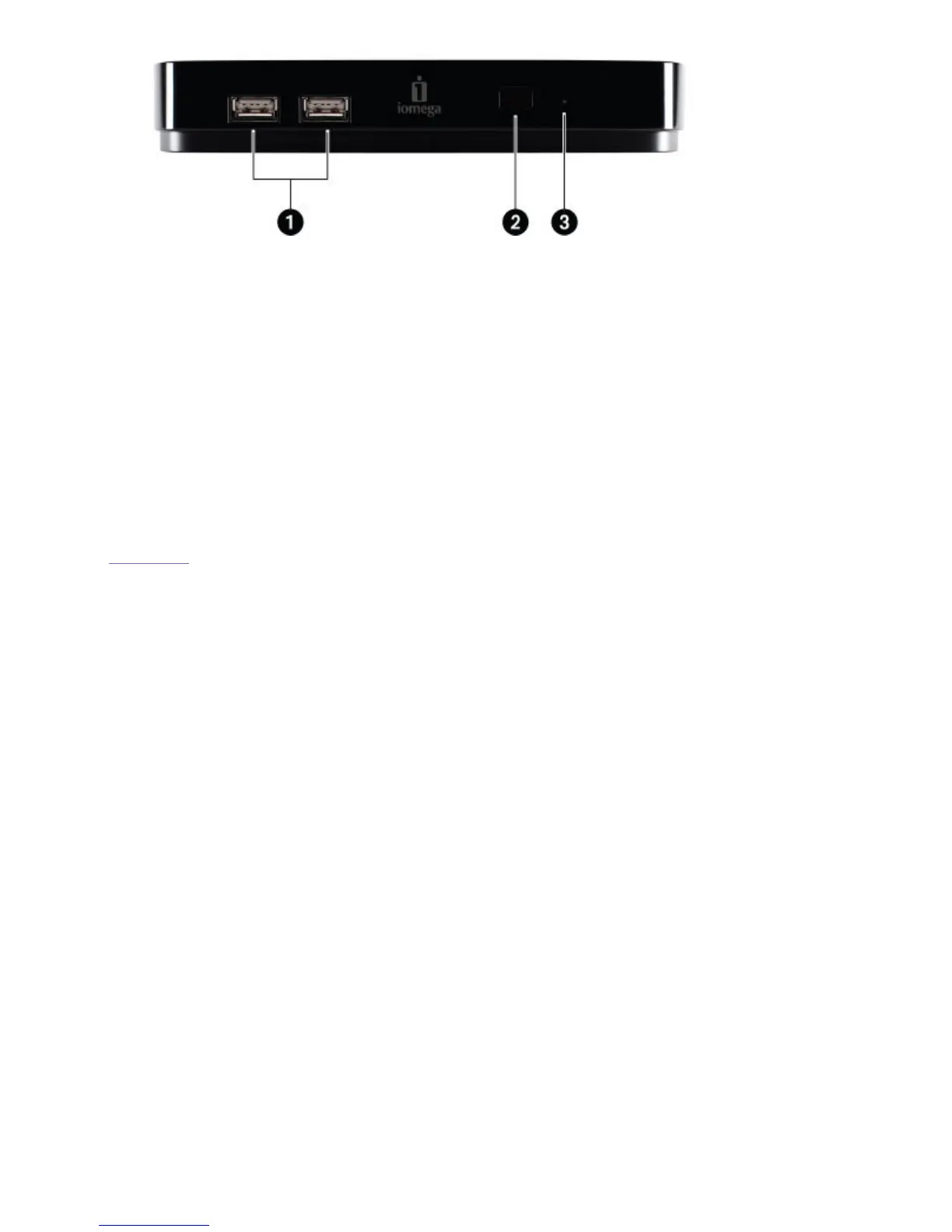
1. USB 2.0 host ports (2)—Use to connect an Iomega WiFi adapter or external USB device to
the ScreenPlay TV Link DX.
2. Remote receiver—When using the remote control, always point it toward the receiver.
NOTE: Media player functions controlled by the remote are available only when the
ScreenPlay TV Link DX is connected to a TV. Some functions are not supported by all
playable file types.
3. Power/access LED—LED glows blue when the ScreenPlay TV Link DX is powered up; blinks
when the ScreenPlay TV Link DX is loading or accessing files; blinks once when the
ScreenPlay TV Link DX receives a command from the remote control. Glows solid red when
the ScreenPlay TV Link DX is powered off.
| top of page |









 To Next Page