IP Gear SmartCell 111L User Guide
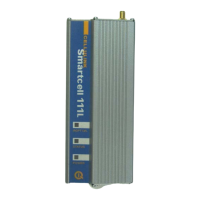
2.2 LED Indications
The LEDS on the front panel of the unit provide indications to the operation
status of the unit, as described in Table 2-1.
Table 2-1: LED Indications
LED Description Operation
RCPT.LVL
(RECEPTION
LEVEL)
Indicates
the
reception
level of the
Smartcell
111L.
Green - High reception.
Orange - Medium reception
Red - Low reception
Off - Very low reception or no reception at all
Note: to indicate proper activity of the unit in idle
(no call), the LED will turn off for a few seconds
every 15 seconds of operation. During a call the
indication is frozen to the one that existed when
the call had started.
STATUS Indicates
the
Smartcell
111L
operational
status.
On – 111L is handling a call.
Blinking (0.2S on, 0.2S off) – During ringing
Off – 111L is idle and no calls are being handled.
Indications
• Slow blinking (0.5S on, 0.5S off) – 111L is
initializing following power up.
• Fast blinking (0.1S on, 0.1S off) – SIM card
not inserted or an error has occurred in the
PIN code entry. The PIN code must be either
disabled or enabled with 1234 entry.
• Mostly on (0.5S on, 0.1S off) – Toll
restriction is activated.
Special Indications:
• Blinking (0.3S on, 0.3S off) – During
DTMF programming session.
• Blinking (0.2S on, 1S off) – During local
PC session.
POWER Indicates
the status of
the power
connection.
On – 111L is powered on.
Off – 111L is powered off.
Page 6


 To Next Page