4 GDC-800H IP DECT Handset User Guide - Issue 2.0
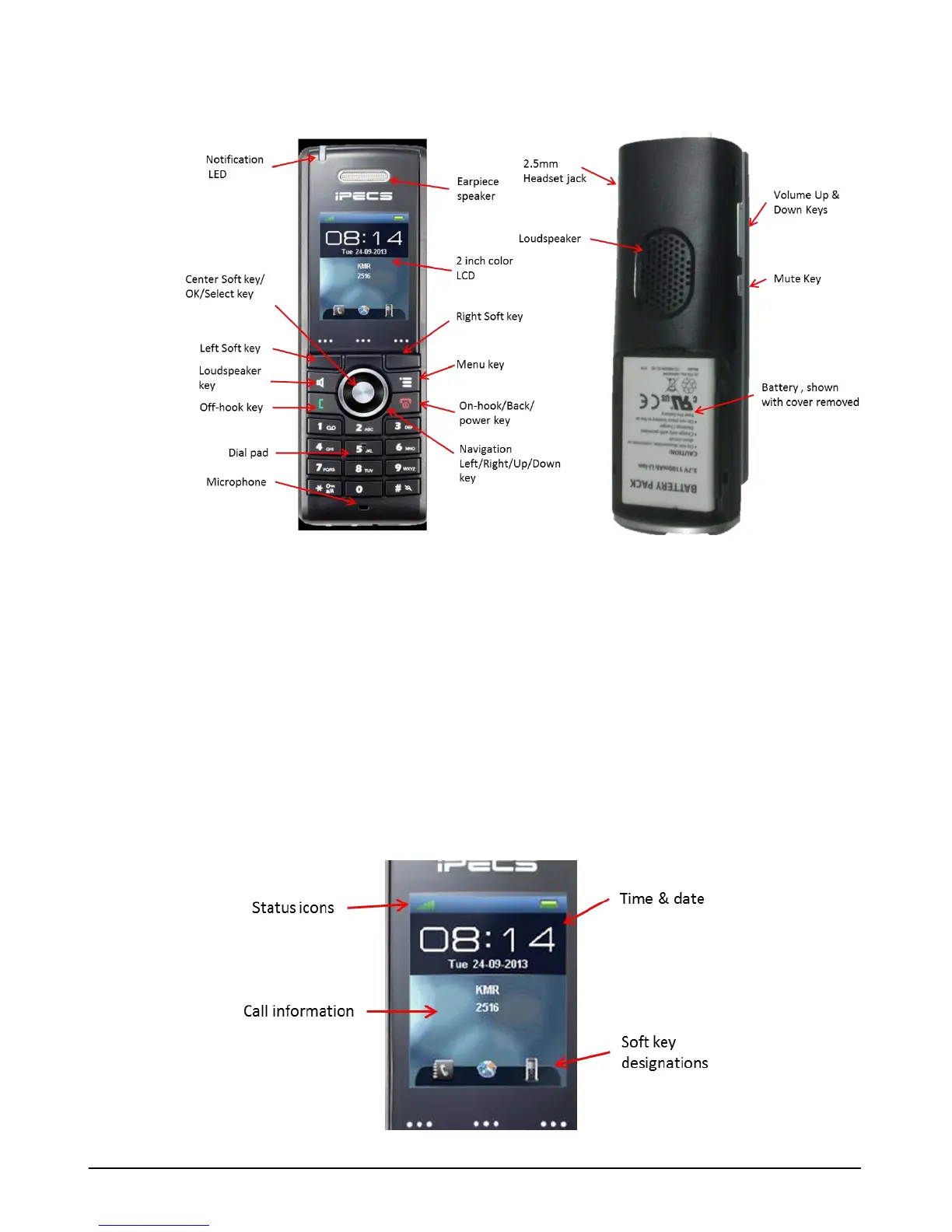
Handset Notification LED
The LED at the top of the handset is a tri-color LED with each color employed to indicate a
different event. Events indicated are missed call, new voice mail, and low battery alert. As a
default, red indicates a missed call, green indicates a new voice mail and orange indicates a
low battery alert. You can select the event associated with each color or disable the color in the
Setting menu.
Display
From top to bottom, the GDC-800H handset LCD shows the status icons, day, date and time,
call information, and at the bottom are the soft key displays in either text or icon format.



 To Next Page