6 GDC-800H IP DECT Handset User Guide - Issue 2.0
Installing the Battery
NOTE
Please read the Appendix "Guidelines to Lithium Batteries" before installing the battery. You
can also download this important instruction from www.ericssonlg-enterprise.com.
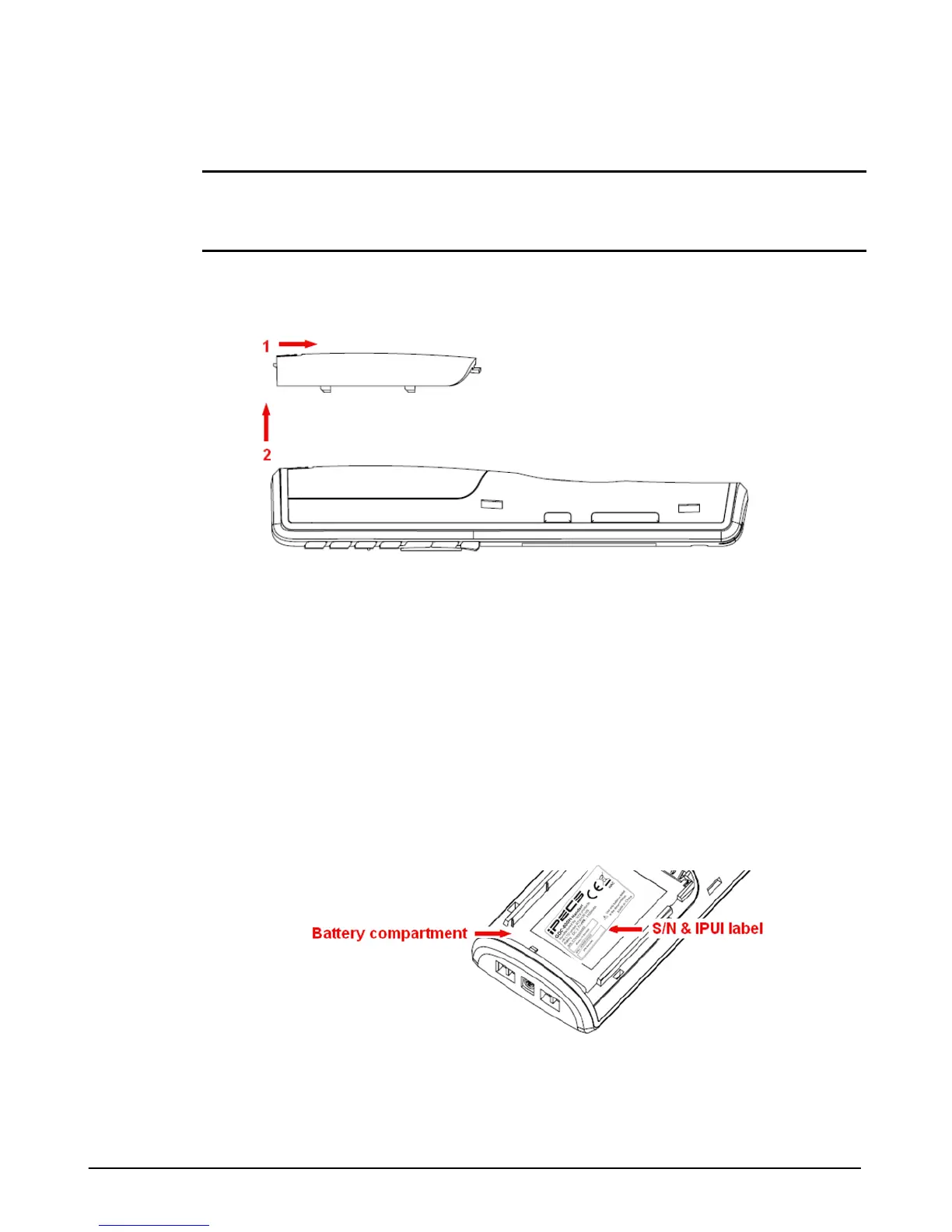
1. Push the Battery cover lock toward the top of the handset and lift it away from the handset
as shown in the figure below.
2. Insert the battery into the battery compartment with the terminals pointing toward the top of
the handset. If you are replacing an existing battery, remove the old battery before inserting
the now one. Discard the old battery as outlined in the Appendix.
3. Replace the battery cover.
4. It is recommended that you charger the unit for a day before use.
Handset Identification Number
The serial number and IPEI identifier of the handset is found either on a label in the battery
compartment or on the packaging label. To view the identifier, remove the battery cover then lift
the battery. The IPEI number is identified in the base station web manager after the handset
successfully registers indicating the handset registered to the system.



 To Next Page